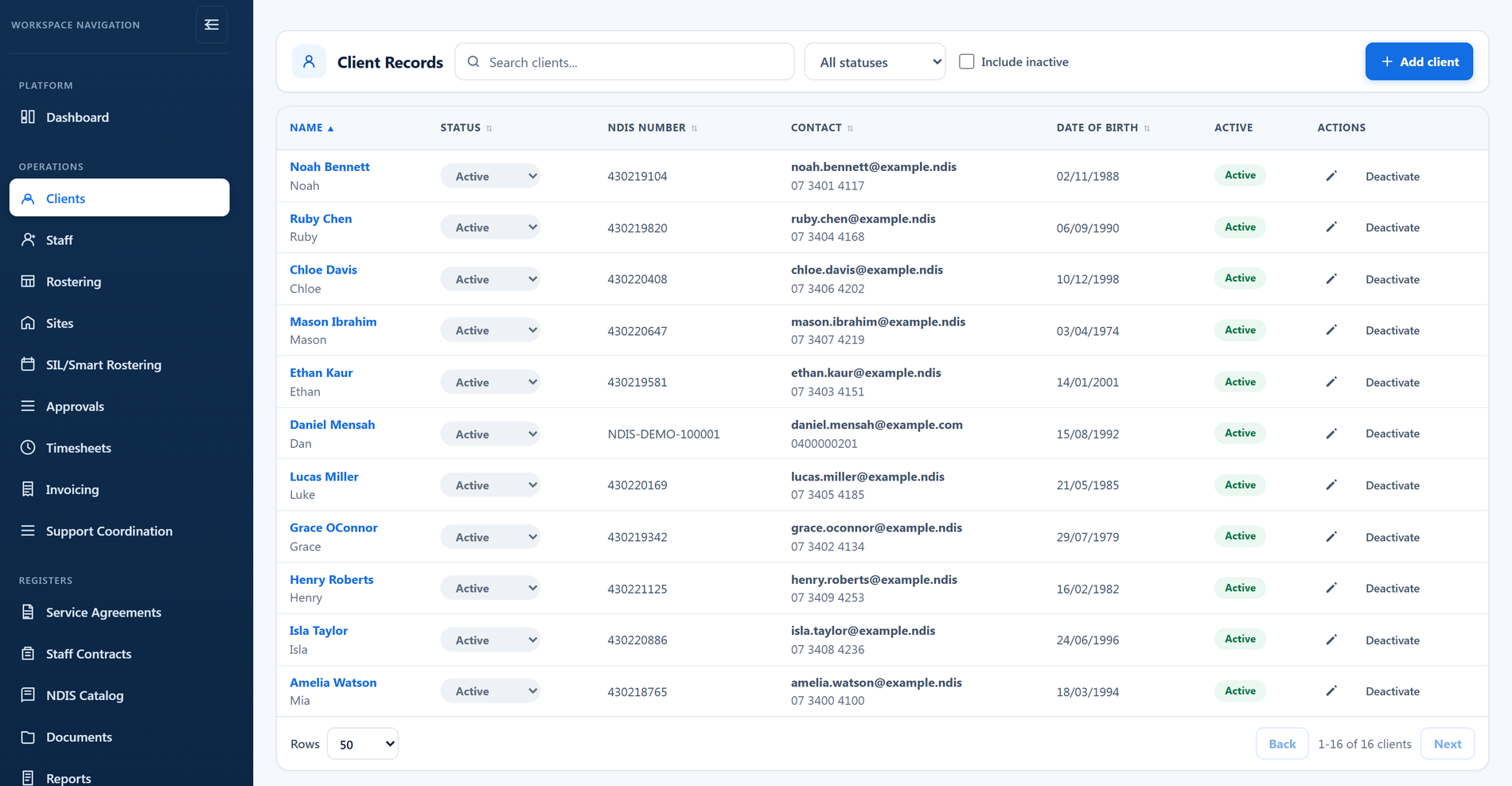
Seamless participant onboarding
- Digital participant onboarding
- Service Agreement Builder
- Automatic participant data population
- Secure document storage
- Centralised participant records
- Less duplicate data entry

Managing participant information shouldn't mean switching between systems or re-entering the same details over and over.
BondiByte brings participant records, onboarding, service agreements, funding, support coordination, budgets, documents, and billing into one connected platform, from first enquiry through to service delivery.
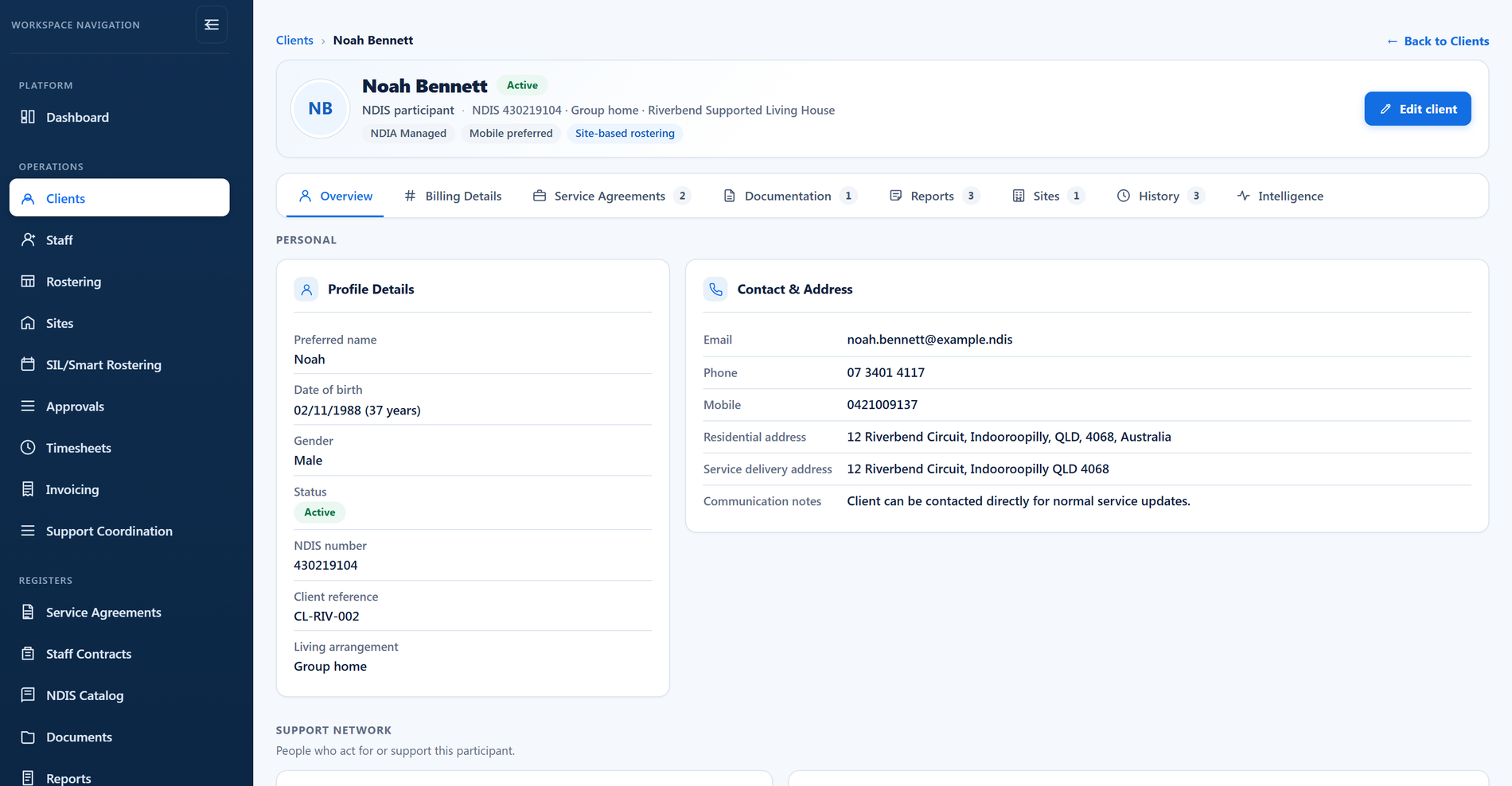
Participant management is about much more than storing contact details.
Every participant record connects with service agreements, funding, rostering, support coordination, timesheets, invoicing, and compliance, so your whole organisation works from one accurate source.
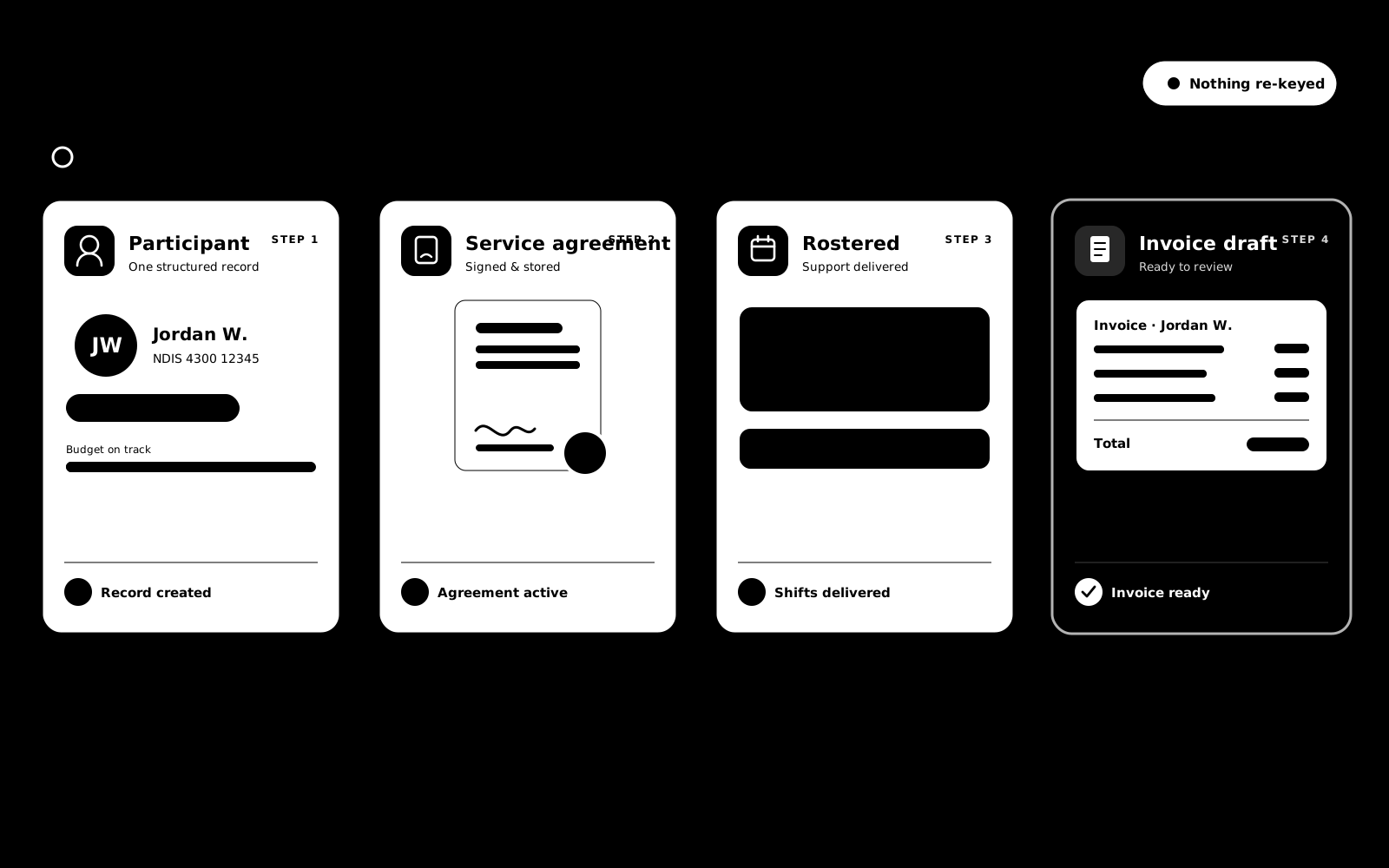
Every participant record connects with your workforce, rostering, service agreements, billing, compliance, and audit evidence, creating one operating picture for your organisation.
Participant records sit in your secure, Australian-hosted workspace with role-aware access, so the right team members see the right information, even as your participant base grows.
Onboarding, representatives, billing and history are parts of one record, not separate products. Here is what each part does.
Create the record once, properly. Every field captured up front is a rostering question, an unsendable invoice or a blank agreement you never have to chase later.
Record who acts for a participant and exactly what they are authorised to do, so the right person signs and the right person is informed.
Every participant pays differently: agency managed, plan managed or self managed. The billing profile holds who pays, where the invoice goes and how it should arrive.
When someone asks who changed a participant's details and when, the answer is a timeline, not a shrug.
A governed AI summary of a participant's recent shift and incident reports, for when you need the shape of a period without reading every entry.
The whole coordination job in one workspace: the caseload, billable case notes, plan budgets and burn, goals, tasks, referrals, reports and NDIS-ready claims.
A site is where support actually happens: a SIL home, a respite house, a community access area. Each one carries its own participants, staff teams, requirements and operating rules.
No. A participant can be created without one and the number added when it is confirmed. When it is entered, BondiByte checks it is a valid 9 or 10 digit number.
Deactivate the record. Everything is kept, the deactivation is logged in their history, and further operational changes are blocked until the participant is reactivated.
Whether they can sign service agreements, make service decisions, receive client information and receive invoices, plus whether you have consent to contact them. Each is a separate setting, and every one starts switched off.
The invoice send is stopped and the message lists exactly what is missing, such as the plan manager contact, the billing email or the billing address. Nothing goes out half-addressed.
Yes. Plan management, representative and contact details populate service agreement templates automatically, and the billing profile drives who each invoice is sent to.
No. History follows the same access rules as the participant record, so users only see timelines for participants they are allowed to work with, and every event names who made the change and when.
An AI-generated summary of a participant's shift and incident reports over a period you choose, 7, 14, 30, 90 days or custom, from the sources you pick. It reads what your team already recorded; it does not add new facts, and it will not summarise a period with nothing in it.
Each of these has its own page: why it exists, how it works, and the controls that stay with managers.
Create the participant record once, properly: identity and NDIS number, contact and communication preferences, the people around them, plan…
Explore Participant onboardingFeatureRecord a participant's representative and exactly what they're authorised to do.
Explore Representatives & consentFeatureEvery participant pays differently: agency managed, plan managed or self managed. The billing profile holds who pays, where the invoice goes and how…
Explore Client billing profileFeatureKey changes to a participant are recorded with who did it and when.
Explore Client history & audit trailFeatureBudget burn rolls up funded amounts, consumed (billable) work, and what remains per participant.
Explore Funds & budget burnFeatureTurn billable coordination activity into an NDIS bulk-payment-ready export.
Explore Coordination claims (CSV)Start your free trial, or book a demo to see how BondiByte connects onboarding, funding, support coordination, and billing into one participant journey.
Hi, I can help with BondiByte features, pricing, setup and more.
Please don’t include sensitive participant or personal information.