Shift-based invoice drafting
- Drafts from completed shifts
- Selected billing line items
- Reviewable invoice lines
- Editable before sending

BondiByte turns completed shifts and shift billing line items into invoice drafts, so your team reviews and sends instead of rebuilding invoice lines from scratch.
Client billing details and service agreement context carry through, and every draft stays reviewable, editable, and ready for PDF or email when you are.
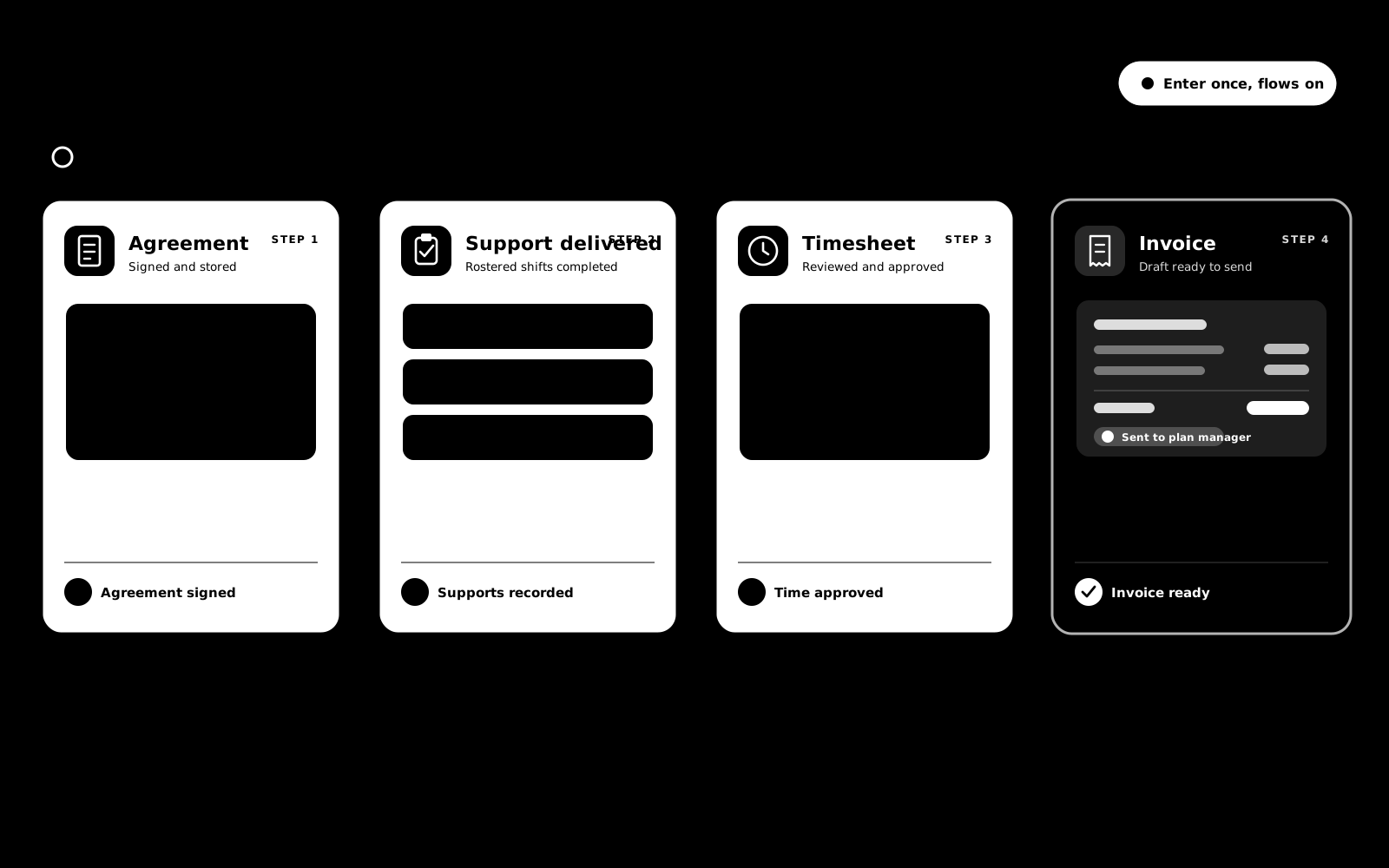
Short demonstrations in the real product, using made-up data. Choose a part to watch it here.
Watch the full series on YouTube (opens YouTube in a new tab)
When billing context lives across shifts, clients, and service agreements, invoice preparation is slow. BondiByte connects that work, so drafts are prepared from what your team already recorded.
Draft preparation can be automation-heavy, so it is metered against your Automation Capacity, keeping the automated work visible as you scale. How Automation Capacity works →

BondiByte prepares the invoice draft while your team keeps visibility over what gets reviewed, adjusted, downloaded, or sent. Speed, without losing control.
Billing starts on the shift and ends in an invoice you review and send. Support Coordination claim files sit alongside.
The gap between what was delivered and what gets invoiced is where providers lose money. The shift is where the truth lives, so that is where billing starts.
Catalogue item numbers and billing lines feed your invoices, and Support Coordination time becomes a claim file (CSV) per participant. When it is time to prepare your NDIS claims, the numbers are already there and they trace back to delivered support.
From a configurable template with funded-supports line items to a signed, locked PDF. The agreement is where every invoice line traces back to.
Shifts become draft timesheets carrying pay levels and sleepover components, ready for approval and payroll.
From the client's active service agreement, filtered to the right site and date. That keeps every invoice traceable back to the agreement.
No. Automation only creates drafts. They stay editable and a person always decides when an invoice goes out.
No. BondiByte does not lodge claims with the NDIA. For Support Coordination it gives you a claim file (CSV) per participant to prepare and check your NDIS claims, and you lodge your claims yourself through your NDIS provider portal.
One row per claimed support coordination activity: your registration number, the participant's NDIS number, delivery dates, the support item number, claim reference, quantity, hours, unit price and GST code. It is a claim file to prepare and check your claims, not the official NDIA claim template.
Claiming creates a batch and the export is scoped to it, so earlier claim cycles are not picked up again. On the invoicing side, generation only draws in billing lines that have not already been invoiced.
Their delivered supports become invoice drafts addressed to the plan manager or the participant's billing contact, generated from the same shift billing data and reviewed before sending.
Each of these has its own page: why it exists, how it works, and the controls that stay with managers.
Shifts carry client billing line items and hours so roster decisions flow straight into invoicing.
Explore Shift cost & billing line itemsFeatureCatalogue item numbers on every agreement and billing lines on every delivered shift feed your invoices, and coordination time is claimed in batches…
Explore Claim files for support coordinationFeatureEvery funded support sits on the agreement as a line item: the NDIS code, unit price, quantity and budget, entered once. Shifts, invoices and claims…
Explore Line items & budgetsStart your free trial, or book a demo to see how BondiByte connects rosters, billing line items, invoice drafts, PDF downloads, and invoice email workflows.
Hi, I can help with BondiByte features, pricing, setup and more.
Please don’t include sensitive participant or personal information.