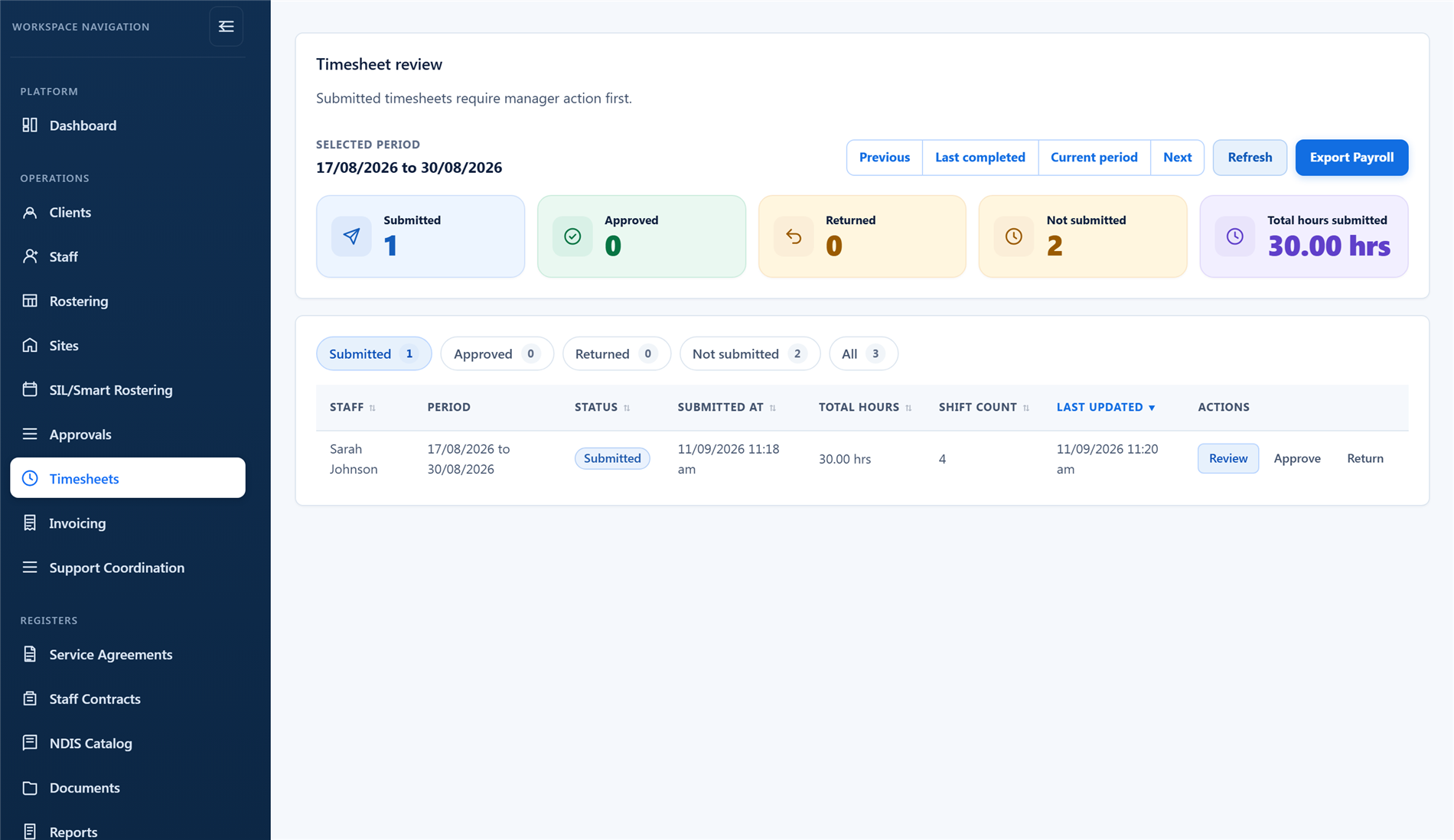
Drafts from the roster
- Draft timesheets from rostered shifts
- Staff review and submit
- Mileage from a shift report carried onto the timesheet line
- Missing-timesheet visibility
- Submission reminders

When timesheets sit away from the roster, managers spend too much time rebuilding context, checking hours, and chasing missing information.
BondiByte prepares timesheet drafts from rostered work, supports staff submission and manager approval, and applies pay levels so the export is payroll-ready, not just a list of hours.
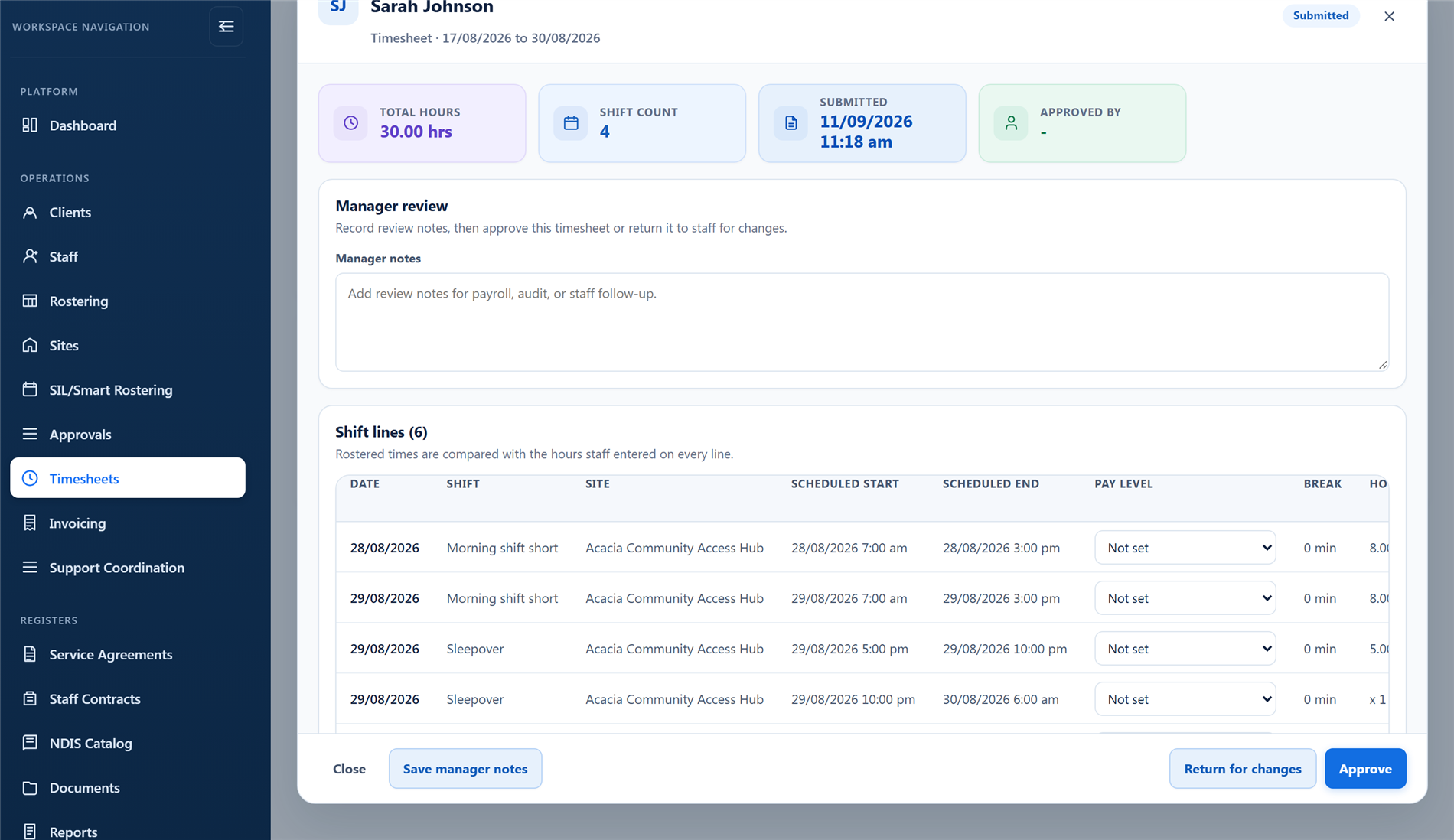
A submitted timesheet with every shift line, staff notes and adjustment reasons, pay levels applied per line, and each line's hours checked against the roster before anything reaches payroll.
Rostered work moves into reviewable timesheet drafts, so teams spend less time recreating operational data and more time reviewing what matters. Staff submit, managers approve or return, and approved time is ready for payroll.
Draft generation and reminders are automation-heavy, so they are metered against your Automation Capacity. How Automation Capacity works →
Each of these has its own page: why it exists, how it works, and the controls that stay with managers.
Overnight support has a shape: active hours, the sleepover, active hours again. BondiByte records that shape on the shift and the template, lets you…
Explore Sleepover segmentsFeatureConfigure pay levels and assign them so timesheet lines carry the right rate.
Explore Pay levelsFeatureShifts carry client billing line items and hours so roster decisions flow straight into invoicing.
Explore Shift cost & billing line itemsStart your free trial, or book a demo to see how BondiByte connects rosters, staff submission, manager approval, and payroll export.
Hi, I can help with BondiByte features, pricing, setup and more.
Please don’t include sensitive participant or personal information.