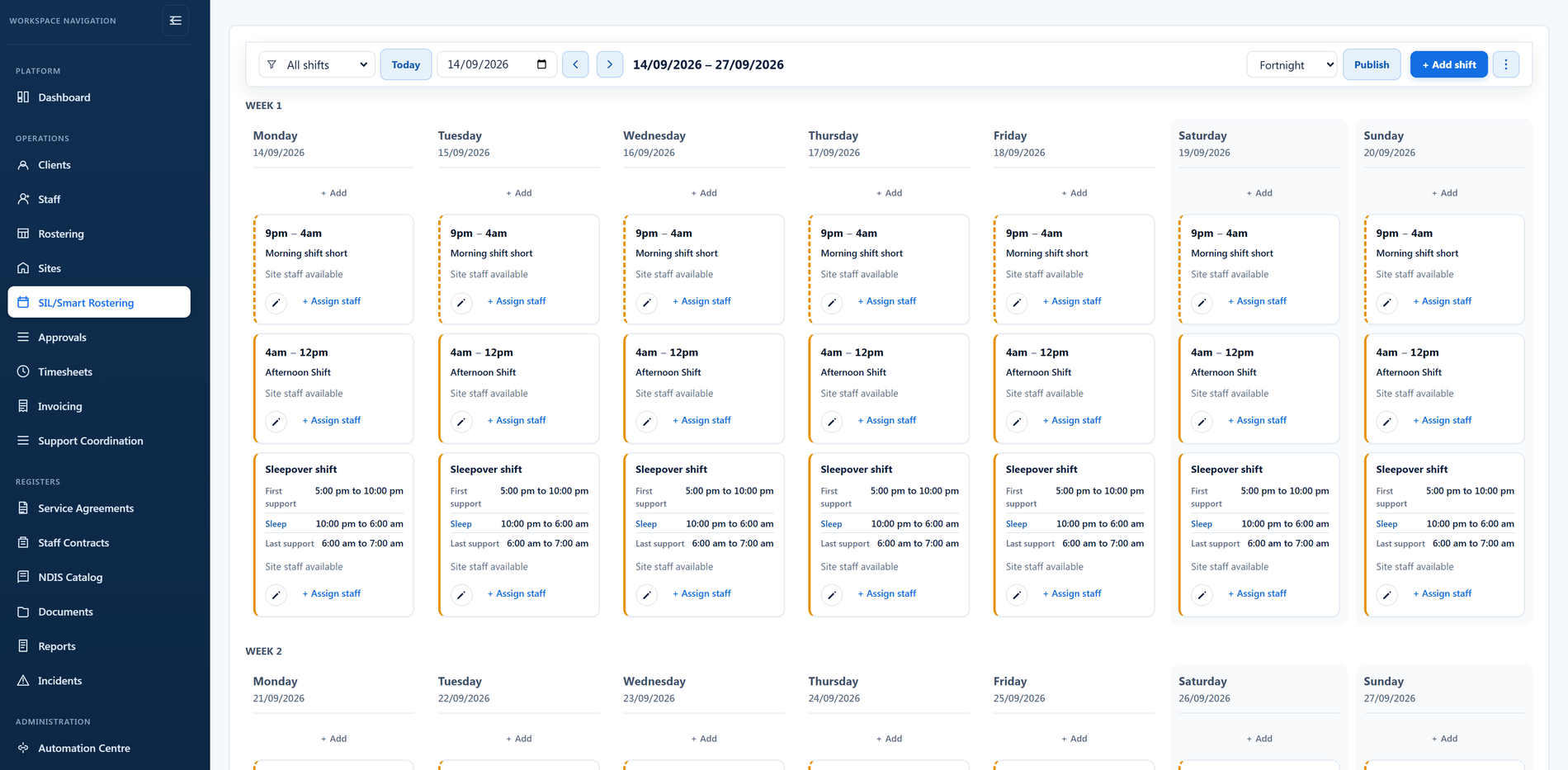
Prepare the period
The next roster period opens on your organisation's calendar: weekly or fortnightly, starting on the day you nominate. Its dates are locked once it is scheduled, so changing a setting later only affects periods still to come.

Stop juggling spreadsheets, chasing staff, and rebuilding the roster every time something changes.
BondiByte builds smarter rosters faster by automatically weighing staff availability, qualifications, what each site and shift requires, and compliance, so you spend less time scheduling and more time delivering support. Managers keep a review gate they control.
Before you assign a shift, BondiByte checks:
Requirements sit on the site and on the individual shift, so a house where several people share a roster is checked once, against what that house and that shift actually need.
Critical conflicts are blocked first, so managers never review a roster full of obvious problems. Then suitability signals rank the best available staff, and you approve before anything publishes.
Six steps, each on its own schedule, each one a manager can do by hand instead.
The next roster period opens on your organisation's calendar: weekly or fortnightly, starting on the day you nominate. Its dates are locked once it is scheduled, so changing a setting later only affects periods still to come.
Your roster pattern for the site becomes real shifts, with times, how many staff are required, and the requirements those staff must meet. By default this happens about three weeks before the period starts.
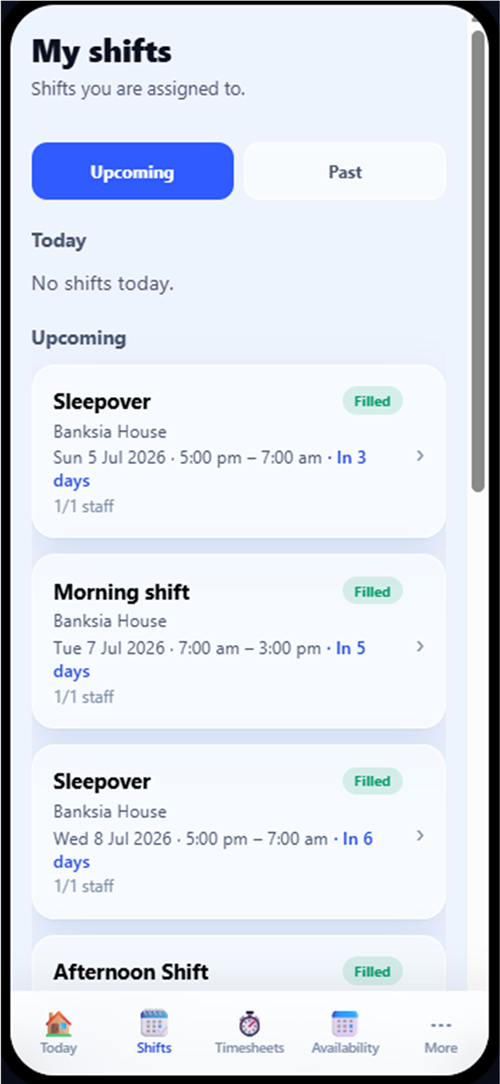
Staff see the shifts that need people and register interest from the portal or the app. Interest is on by default and can be switched off for a site that does not work that way.
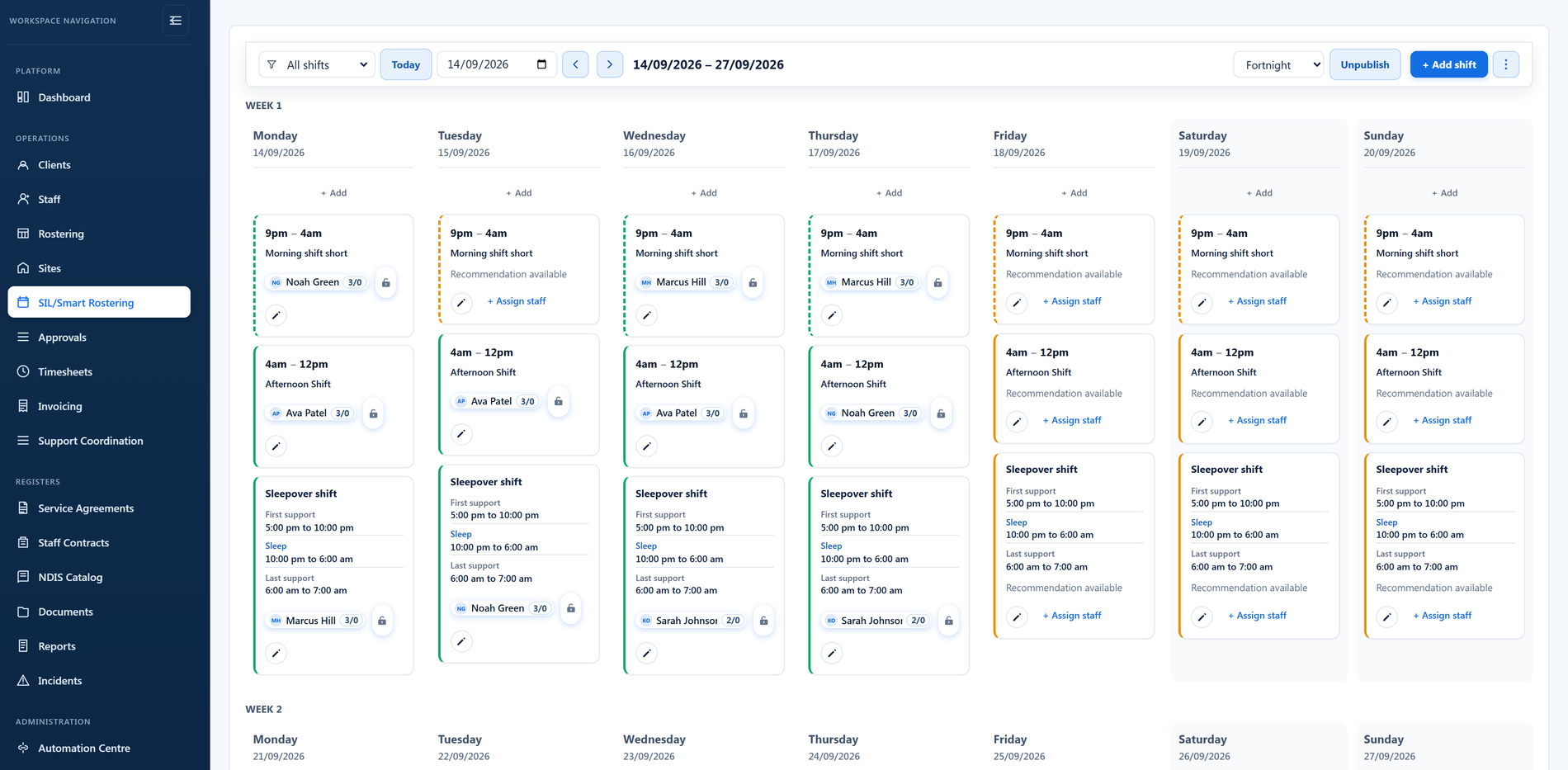
BondiByte works through the unfilled shifts and recommends staff for each one, a few days after interest opens. It is a draft. Nothing has been published and nobody has been told.
The draft waits for a manager. Change anyone, fill what is still open, and open any recommendation to see the reasons behind it before you accept it.
Publishing is the moment staff see the roster, and notifications go out. Coverage reviews and unfilled-shift alerts pick up anything still open.
This is the question every provider asks, so here is the plain answer: BondiByte does not decide who works with whom. It does the preparation a coordinator would otherwise do by hand, then stops and waits for a manager.
Review before publish is the standing default, at organisation level and at every site. Auto-publish is available for sites that have earned the confidence, it is off until someone deliberately turns it on, and it is set site by site rather than across the whole organisation. It can email the manager whenever it runs.
Until a manager publishes, the draft is invisible to staff. No shift appears in the portal or the app, no notification is sent, and nothing is committed. A draft that sits too long can remind the manager it is waiting.
A recommendation is not a black box. Anyone who fails a critical check is blocked outright and never appears. Everyone else is ranked across a set of signals you can see, and each one carries a weight you can change.
Start from a ready-made setting: Balanced, Compliance first, Continuity first, Fairness first, Availability first, or the opt-in Cost aware. Then tune the weights yourself if you want to, and let an individual site override the organisation where its needs differ.
The same signals rank the staff list when a manager fills a shift by hand, so the recommendation is there whether or not the roster was generated for you.
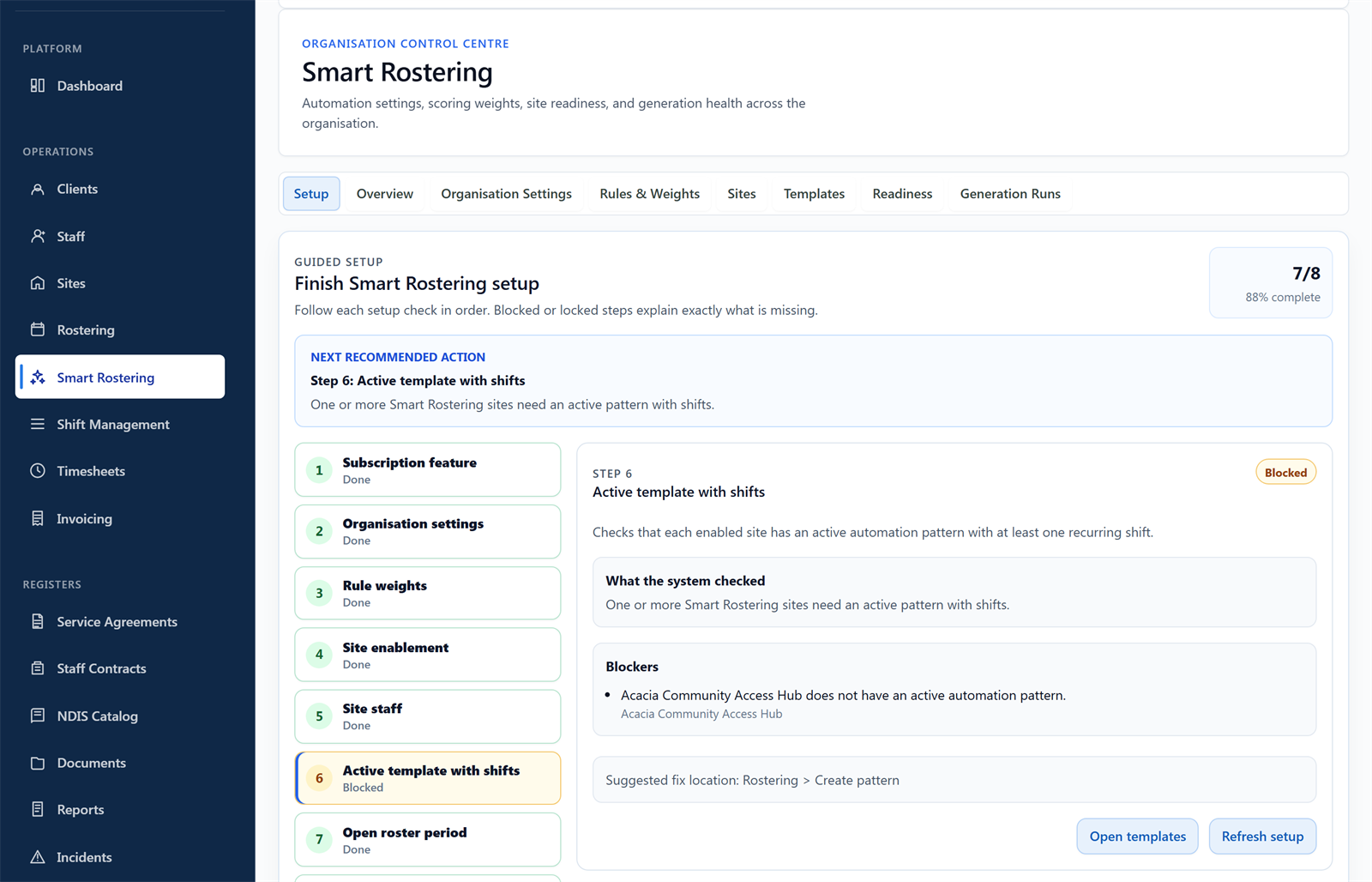
Smart Rostering is off until you switch it on, and it is switched on for one site at a time. A guided setup walks the organisation settings, the weights, site enablement, the site team, an active roster pattern, and an open roster period, and tells you which step is still missing.
With automation off, nothing is taken away. The roster board works exactly as it always has: build the period, add shifts, assign staff, handle swaps and cancellations, publish when you are ready. Sites that use it and sites that do not sit side by side in the same roster.
Recommendations are a separate switch again, and on by default. A site can use the ranked staff list when a manager fills a shift without ever letting the platform build a draft.
Connected capabilities that take rostering from a chore to a strategic advantage.
Smart Rostering doesn't work in isolation. Every rostered shift flows into timesheet drafts, payroll-ready exports, and invoice drafts, so nobody re-keys the same information.
Staff qualifications, availability, leave, and compliance are all considered as the roster is built. Your roster becomes the foundation of a connected workforce system, from planning through to payroll and billing.
Smart Rostering is automation-heavy work, so it's metered against your Automation Capacity, giving owners governance over automated activity. How Automation Capacity works →
Patterns, templates, checks and sleepovers are parts of one rostering engine. Here is what each part does.
Set up your roster calendar once, capture how each site really runs, and let every future period start from that shape.
Create a whole period of shifts from your patterns and site templates, instead of cell by cell.
Critical conflicts are blocked before staff are even considered, and the same rules run for automated suggestions and manual assignment alike.
Overnight support has a shape: active hours, the sleepover, active hours again. BondiByte records that shape and delivers it to timesheets already split.
When shifts change after publishing, that is its own workflow: Shift Coverage & Changes covers staff interest, open shifts and claims, swaps, cancellations with cover offers, and escalation.
Staff called in sick?
Offer the shift to suitable, available staff.
Participant cancelled?
Update the roster in the same place.
Need to swap shifts?
Managers approve before it publishes.
Qualification expired?
That staff member stops being recommended.
Every operational change flows through the platform without creating new admin or disrupting service delivery.
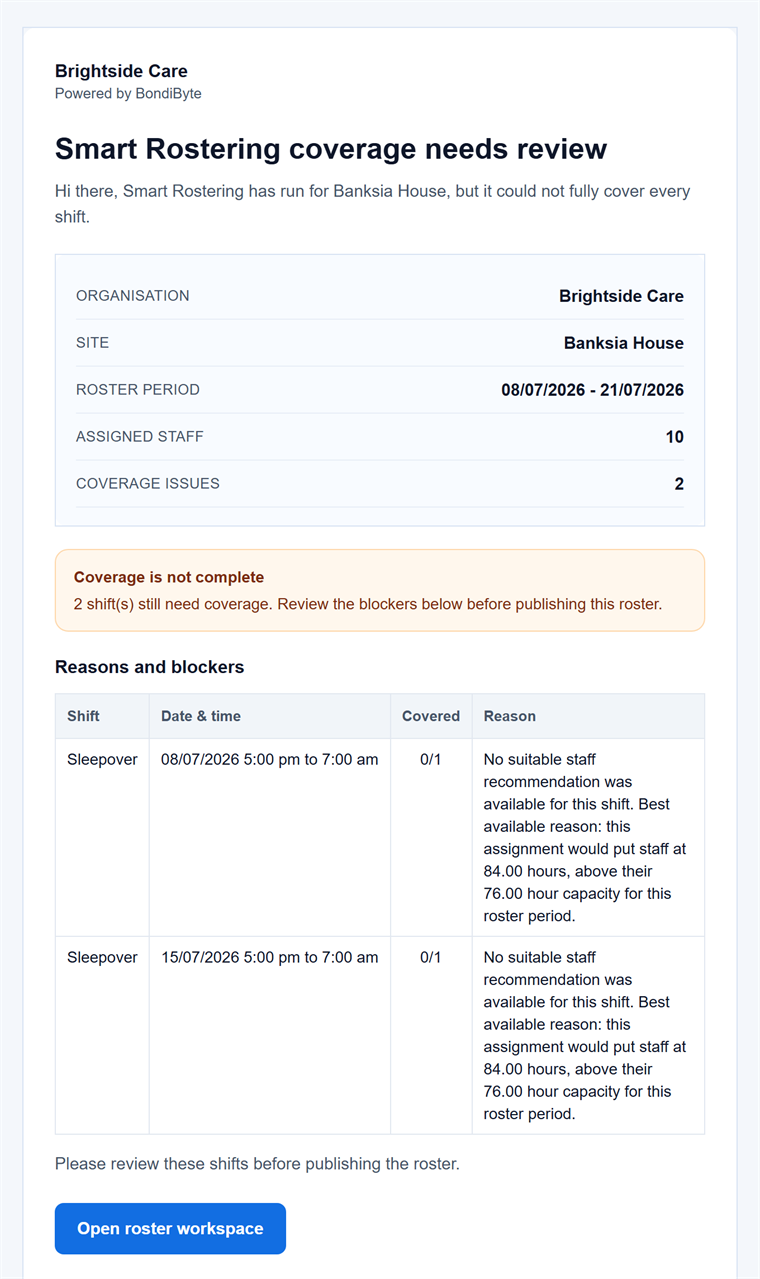
When coverage is at risk, BondiByte emails the right people automatically: unfilled-shift alerts, daily roster summaries, and coverage reviews that explain why a shift could not be filled.
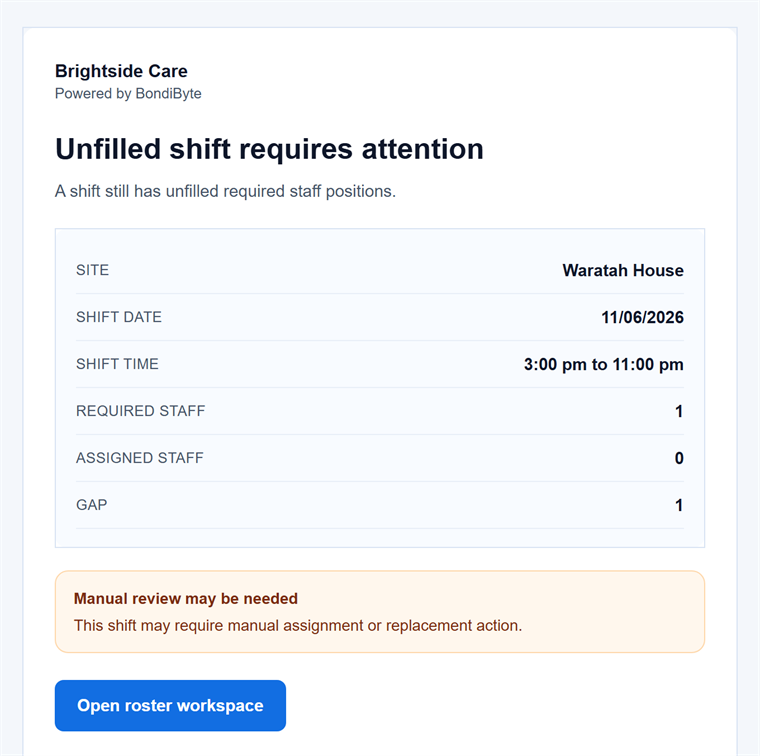
Unfilled-shift alert (demo data).
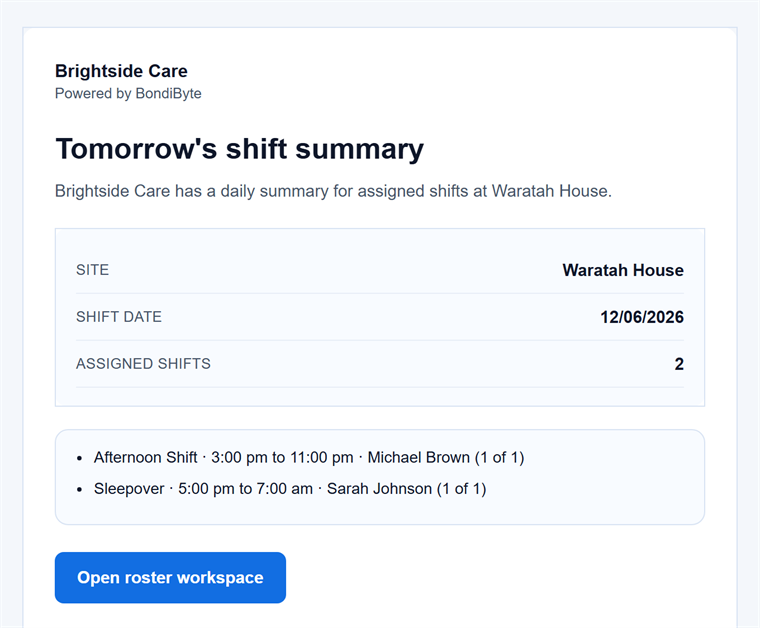
Daily roster summary (demo data).
Every part of the engine has its own dedicated page: the problem it solves, how it works, and the controls that stay with managers.
Set up your roster calendar once, capture how each site really runs, and let every future period start from that shape.
Explore Roster patterns & periodsFeatureCreate a whole period of shifts from your configured patterns and site or period settings, including recurring shifts.
Explore Shift creation & site templatesFeatureAsk the whole team who wants the shifts, in one step, and get answers you can actually roster from. Staff respond from their own portal, unsuitable…
Explore Staff interest requestsFeatureCritical conflicts are blocked before staff are even considered, then suitability signals rank who fits best.
Explore Suitability & hard-block checksFeatureOnce blockers clear, BondiByte ranks and prepares assignment options using the signals that matter to your operation.
Explore Smart recommendationsFeatureHandle swap requests, approvals, and replacement needs without breaking roster integrity.
Explore Shift swap managementFeatureWhen a staff member cancels, BondiByte manages the cancellation and surfaces replacement coverage needs.
Explore Shift cancellation managementFeatureReliability stops being a gut feeling. BondiByte records cancellations and swaps as they happen, measures recent reliability for every staff member,…
Explore Cancellation history & reliabilityFeatureShifts carry client billing line items and hours so roster decisions flow straight into invoicing.
Explore Shift cost & billing line itemsFeatureAutomated alerts and coverage reviews explain why a shift could not be filled, so the right people act early.
Explore Unfilled-shift escalationFeatureOvernight support has a shape: active hours, the sleepover, active hours again. BondiByte records that shape on the shift and the template, lets you…
Explore Sleepover segmentsFeatureBondiByte can run each roster period through the cycle on its own timing, instead of waiting for someone to start.
Explore Scheduled roster automationFeatureA shift on a published roster that still needs someone becomes an open shift for the teams you choose. Staff claim it from their phone, you decide…
Explore Open shifts & staff claimsNo. Once a pattern is active for a site, BondiByte creates each new period's shifts from it. You review and adjust rather than rebuild.
Not unless you switch auto-publish on for that site. The default requires a manager to review and publish, and auto-publish can notify you every time it runs.
A block stops the assignment entirely, such as a double booking or a missing mandatory requirement. A warning is shown but does not stop you, such as a missing optional requirement or a staff member who is not on the site's team.
Yes. Every suggestion lists its reasons in plain language, positive and negative, so the ranking is never a mystery.
Only if you choose the Cost Aware preset or weight cost yourself. Even then, safety and eligibility signals stay weighted high so cost never overrides them, and by default cost carries zero weight.
BondiByte separates the shift into active hours and a sleepover allowance component in the timesheet, so your pay setup applies to each part properly. The actual rates come from your own pay configuration.
The shift is flagged as unfilled with the reasons, such as every linked staff member already being rostered elsewhere, and the escalation workflow makes sure the right people hear about it early.
Yes. Patterns, automation, recommendation weights, fatigue rules and publishing behaviour are all per site, so a stable SIL house and a flexible community roster can run different settings under the same organisation.
Start your free trial, or book a demo to see how BondiByte runs the full roster workflow, from setup to published shifts, with managers in control.
Hi, I can help with BondiByte features, pricing, setup and more.
Please don’t include sensitive participant or personal information.