Connect in minutes
- OAuth connection to a Xero Australia Payroll organisation
- Map BondiByte staff to Xero employees
- Test the connection any time
- Disconnect without losing timesheet history

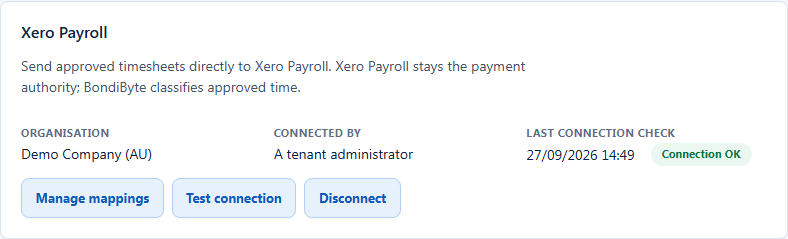
BondiByte connects to a Xero Australia Payroll organisation, maps your staff and pay items to Xero, and sends approved timesheets across as draft Xero timesheets, ready for your payroll team to review.
Xero Payroll stays the payment authority. BondiByte classifies approved time, and nothing reaches Xero until an administrator clicks Send.
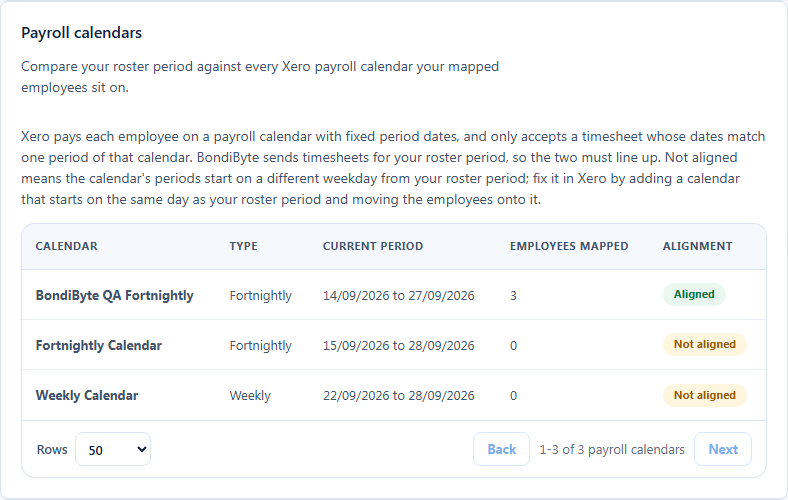
Xero pays each employee on a payroll calendar with fixed period dates, and only accepts a timesheet whose dates match one of those periods. BondiByte compares your roster period against every Xero payroll calendar your mapped employees sit on, and explains the fix in plain language when a calendar's periods start on a different weekday.
The prerequisite is a Xero Australia Payroll organisation with a payroll calendar that starts on the same weekday as your BondiByte roster period.
Once staff and pay items are mapped, an approved timesheet for the roster fortnight becomes a draft Xero timesheet: one logical timesheet per employee and period, checked at Preflight, duplicate-safe to send, and tracked in a transfer register until Xero confirms it.
Preflight checks the selected fortnight against your mappings and payroll calendars, and shows what is ready before anything reaches Xero.
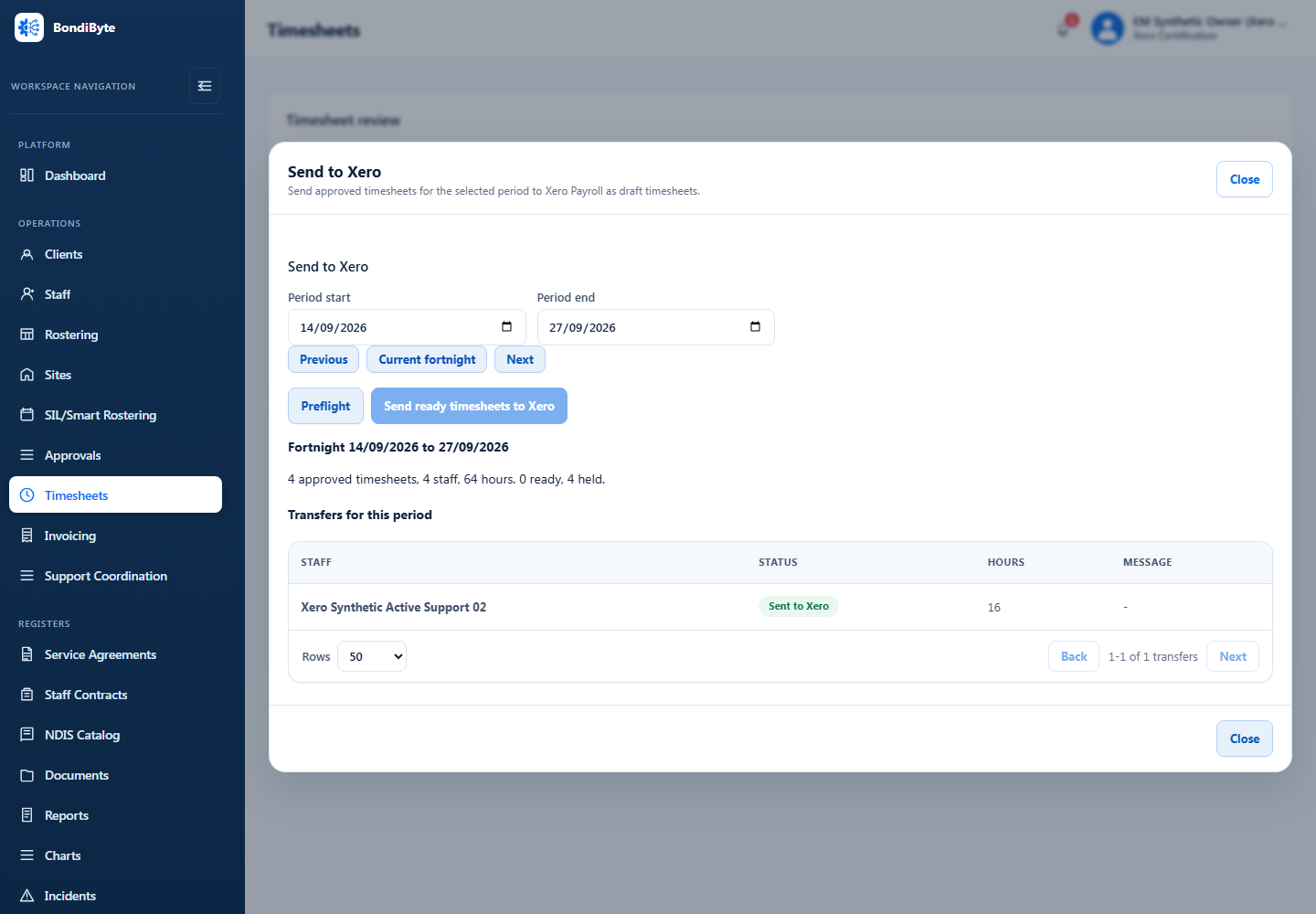
Approved timesheet hours, sent as draft Xero timesheets, one logical timesheet per employee for the roster period. BondiByte does not send invoices, pay runs, leave, or new employees, and it does not sync with MYOB or Employment Hero through this connection.
No. Xero Payroll stays the payment authority. BondiByte classifies approved time against your pay items and sends it across; your payroll team still reviews and processes it in Xero.
Every approved hour is sent against one default Xero earnings rate that you choose. There is no per-item mapping to set up.
Each pay item, such as weekday, Saturday, Sunday or public holiday, is mapped to its own Xero earnings rate from inside the Pay Level line item editor. Items without a mapping are held at send time instead of going to Xero under the wrong rate.
It decides where the dollar rate comes from. Choose Xero and Xero's earnings rate supplies the rate, so a pay item does not need a BondiByte rate. Choose BondiByte and your BondiByte rates stay authoritative. Either way, BondiByte only ever sends hours.
A Xero Australia Payroll organisation with a payroll calendar that starts on the same weekday as your BondiByte roster period. The Payroll calendars panel checks this for every mapped employee and explains the fix when a calendar does not line up.
No. Sending is duplicate-safe: each employee and period combination is one logical Xero timesheet, and the transfer register tracks its status through Ready, Sending, Sent to Xero, Needs mapping, Needs attention or Failed, with automatic retry.
Each of these has its own page: why it exists, how it works, and the controls that stay with managers.
Configure pay levels and assign them so timesheet lines carry the right rate.
Explore Pay levelsFeatureShifts become draft timesheets carrying pay levels and sleepover components, ready for approval and payroll.
Explore TimesheetsFeatureShift billing line items flow into draft invoices and NDIS payment request data, with PDFs, your payment details, and bulk-claim CSV exports.
Explore Invoicing & NDIS PaymentsStart your free trial, or book a demo to see the Xero Payroll connection, mapping, and Send to Xero workflow.
Hi, I can help with BondiByte features, pricing, setup and more.
Please don’t include sensitive participant or personal information.