

NDIS Practice Standards mapping | BondiByte NDIS Software
Documents, Audit & Compliance

Evidence mapped to the standards.

Map your audit evidence to the NDIS Practice Standards, outcome by outcome, so coverage and gaps are obvious months before an auditor asks.

NDIS Practice Standards mapping

What you get with NDIS Practice Standards mapping.

  • Evidence-to-standard mapping

    Map your evidence to the NDIS Practice Standards, so you can see you're covered.

  • Coverage and gap view

    See at a glance where you're audit-ready and where a gap still needs filling.

  • Auditor-ready structure

    Evidence is organised the way auditors expect, so reviews go smoothly.

Why it exists

The problem it solves.

Most providers hold plenty of evidence but have no clear picture of which NDIS Practice Standard each piece supports. The mapping becomes a late-night spreadsheet in the weeks before an audit, and gaps only reveal themselves once the auditor starts asking. BondiByte keeps the map live inside your audit session, so you see coverage and gaps while there is still time to act.

How it works

1

Choose the modules that apply to you

Every audit session starts with the Core Module. Add the supplementary modules that match what you deliver: high intensity daily personal activities, specialist behaviour support, early childhood supports, specialised support coordination, specialist disability accommodation, or verification.

2

Gather your evidence

Generate the registers and the readiness report with the Prepare Audit wizard, and upload the documents that support your case, such as policies and certificates, into the audit session.

3

Map evidence to outcomes

On the By Standard tab, attach each piece of evidence to the outcome it supports, down to the specific quality indicator when it helps to be precise.

4

Run auto-map, then place the rest

Auto-map is an action you run on the By Standard tab. It adds the outcome links it recognises, leaves every mapping you made alone, and adds nothing where it has no rule. Uploaded policies and records are never auto-mapped, because only you know what they cover, so plan on placing most evidence yourself.

5

Close the gaps early

The coverage scorecard shows which outcomes have evidence and which are still gaps, so you work the gaps well before audit week.

What you can do.

The Core Module, built in

The Core Module outcomes and their quality indicators, organised by division, from rights and responsibilities through to the support provision environment.

Supplementary modules included

High intensity daily personal activities, specialist behaviour support, early childhood supports, specialised support coordination, specialist disability accommodation and verification, each with outcomes and quality indicators.

Outcome and indicator level mapping

Map a piece of evidence to an outcome, and to a specific quality indicator when you want the link to be exact.

An auto-map action you run

One click adds the outcome links BondiByte recognises. It only ever adds, never removes, it works at outcome level so the indicator-level detail stays yours, and every automatic link is labelled as automatic and can be undone.

A live coverage scorecard

Overall coverage, outcomes evidenced, gaps to close and evidence mapped, updated as you work through the session.

The same structure auditors see

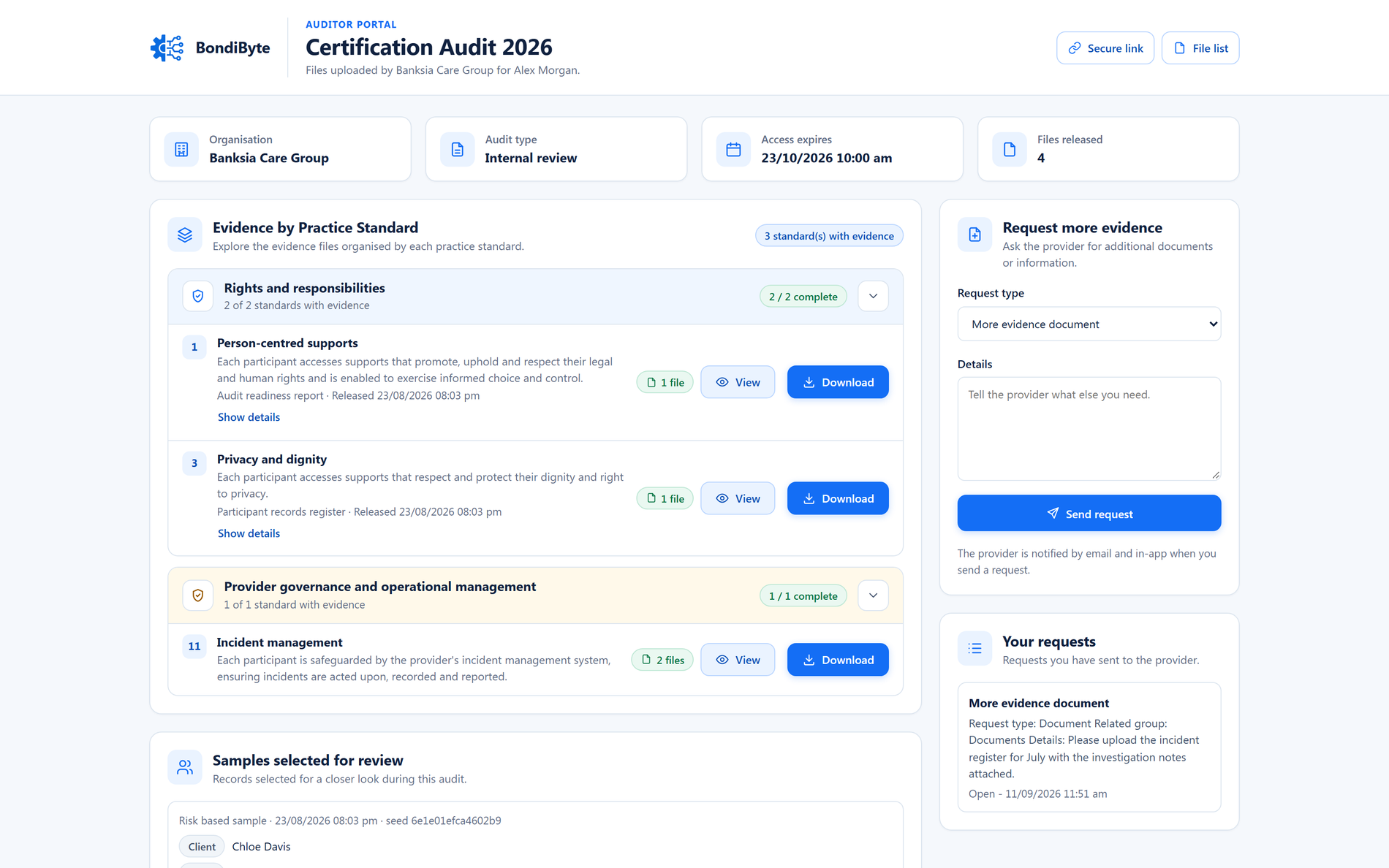
The auditor portal presents your shared evidence grouped by these standards, so the story you build is the story they read.

Audit Centre By Standard tab showing coverage tiles, Practice Standards module selection, and outcomes with gap badges and evidence mapping
Coverage, gaps and evidence mapping against the NDIS Practice Standards, module by module.

How it connects.

  1. Documents and operational records
  2. Audit Centre evidence
  3. Mapping to the Practice Standards
  4. Coverage scorecard and gap list
  5. Auditor portal, organised by standard

You stay in control.

You choose the module scope

Each audit session applies the Core Module plus only the supplementary modules you select, so coverage is measured against what you actually deliver.

Nothing is mapped without you

Auto-map runs only when you press it, and it never maps an uploaded policy or record: their subject matter varies too much to guess safely, so you place those yourself and no mapping ever claims more than it should.

Every mapping can be undone

Remove any evidence-to-standard link at any time, whether it was made by hand or automatically.

A working reference, not a verdict

Coverage shows whether evidence exists against each outcome. It is a readiness view, and the NDIS Quality and Safeguards Commission remains the authority on requirements.

Learn how to use this feature.

Frequently asked questions.

Which NDIS Practice Standards are covered?

The Core Module with its outcomes and quality indicators, plus supplementary modules for high intensity daily personal activities, specialist behaviour support, early childhood supports, specialised support coordination, specialist disability accommodation and verification.

Does a green scorecard mean we are compliant?

No. The scorecard shows whether evidence exists against each outcome in your scope. It is an evidence-readiness view to help you prepare. Compliance itself is determined through your audit, and the NDIS Quality and Safeguards Commission is the authority on requirements.

Do I have to map everything by hand?

Mapping is yours to do, and auto-map takes off your hands the links it can recognise. It runs only when you press it, adds outcome-level links, leaves your own mappings untouched, and never guesses at an uploaded policy or record. Plan on placing most evidence yourself and use auto-map to save the clicks it can.

What do auditors see?

Auditors see the evidence you have shared, grouped by standard in the secure portal, with each outcome's quality indicators shown as what the standard looks for. Evidence not mapped to a standard is listed separately, so nothing you released is hidden.

We deliver high intensity supports. Is that covered?

Yes. Add the High Intensity Daily Personal Activities module to your audit session and its outcomes and indicators join the coverage view alongside the Core Module.

See NDIS Practice Standards mapping in BondiByte

Start your free trial, or book a demo to see it with your own operation in mind.

Start free trial