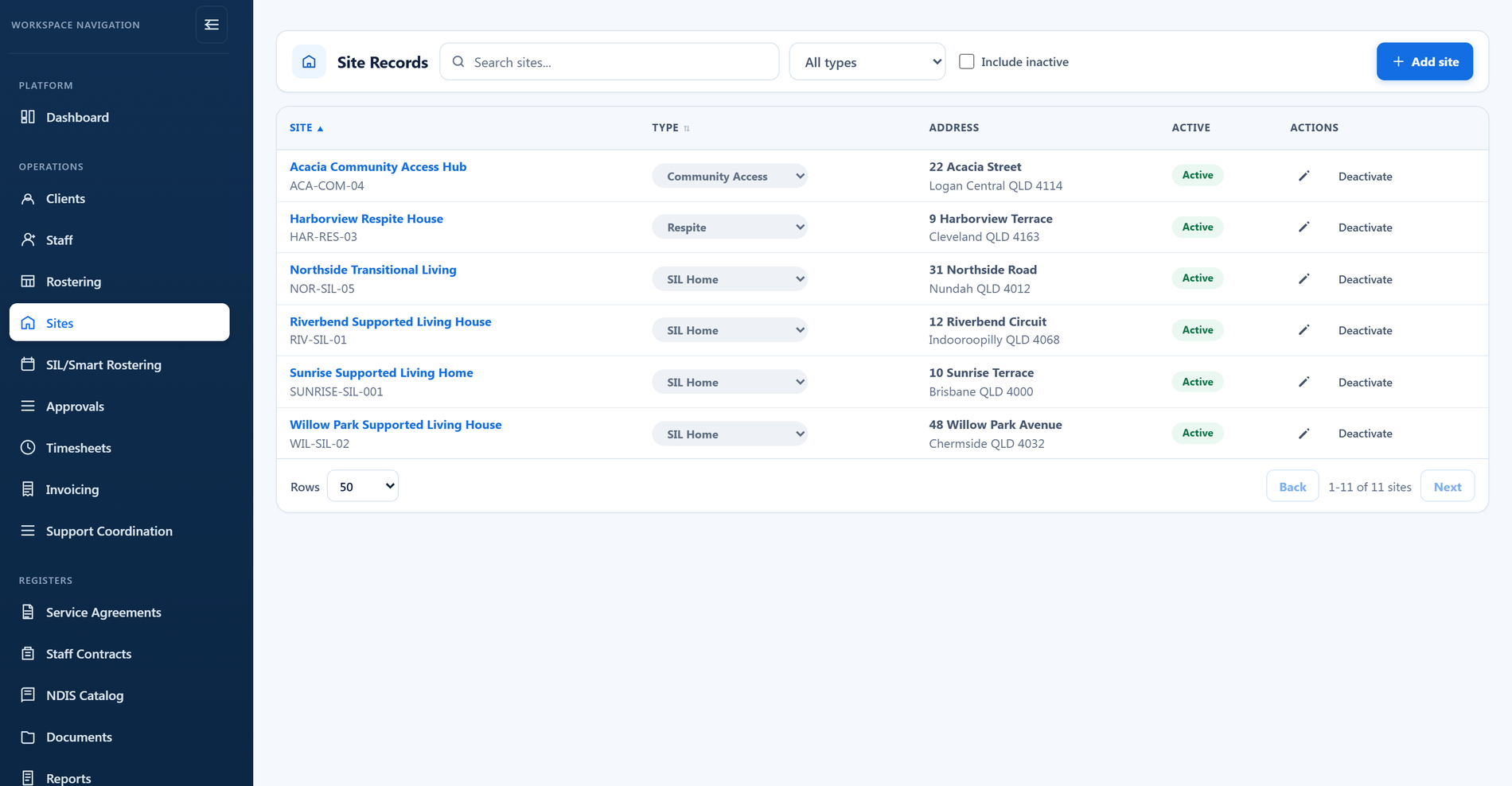
The site register
Every location your organisation runs, in one list.
- Search by site name or address
- Filter by site type
- Show or hide inactive sites
- Open any site straight into its record

In most organisations, how a site really runs lives in someone's head: who works there, who can be called in, what a worker has to hold before they set foot in the house, and which rules apply when someone wants to swap or hand a shift back. That knowledge does not survive a resignation or a bad weekend.
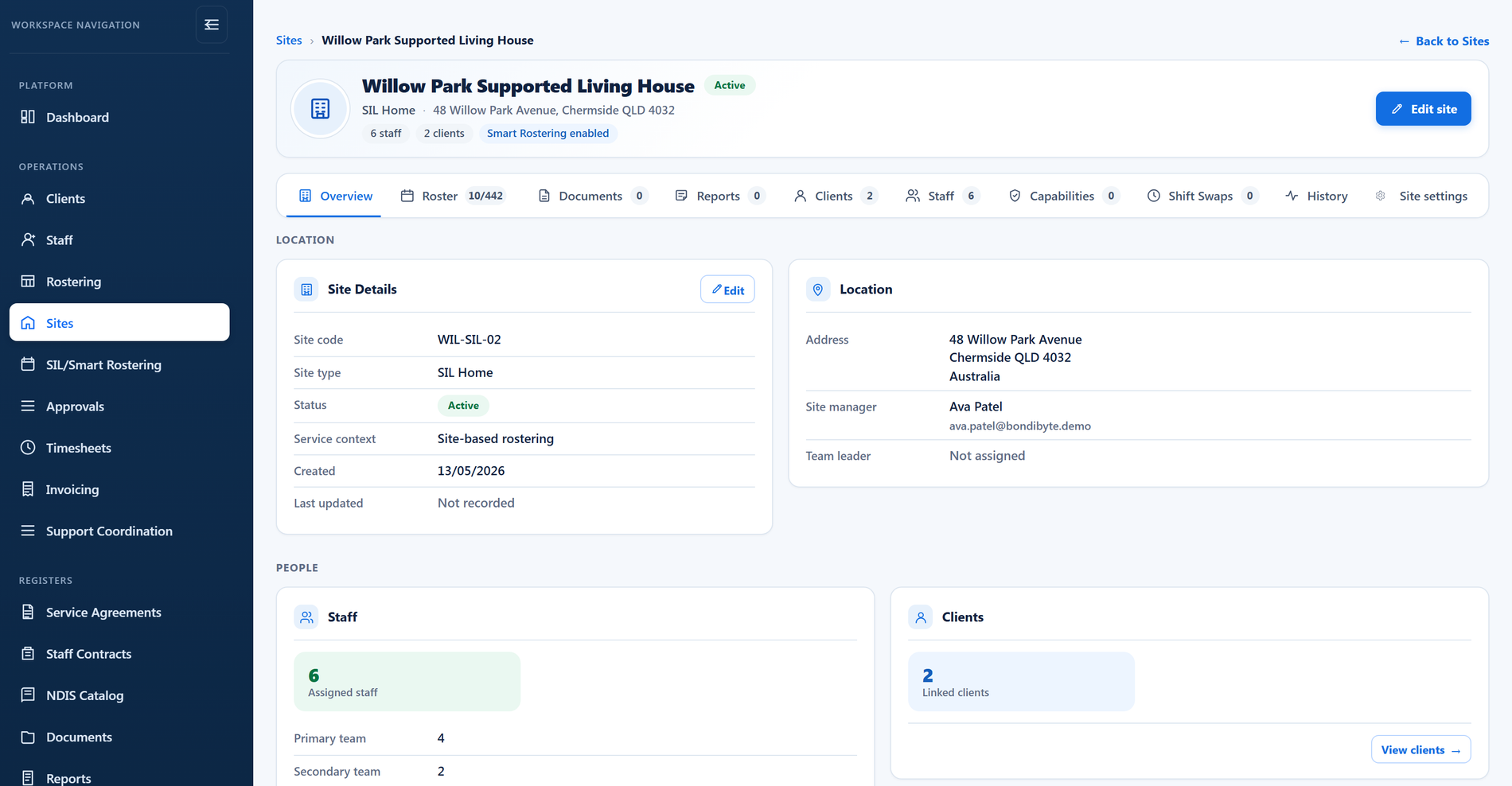
In BondiByte a site is a real record. It holds the participants, the team, the requirements and the operating rules for that location, and rostering, the staff app, documents and audit evidence all read from it.
Short demonstrations in the real product, using made-up data. Choose a part to watch it here.
Watch the full series on YouTube (opens YouTube in a new tab)
Every location your organisation runs, in one list.
One record, with every part of the site's operation on its own tab.
Who the site supports, and who is allowed to work there.
What a worker must hold before this site will roster them.
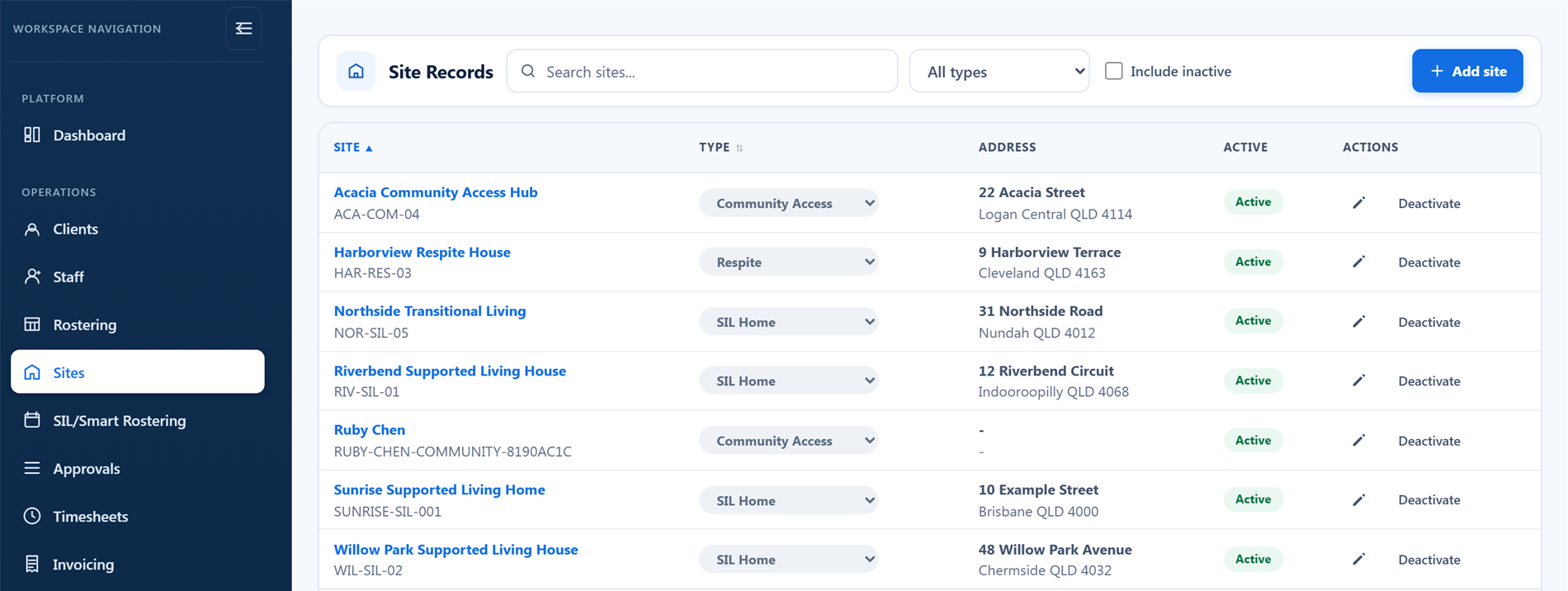
A site type is set when you create the site and can be changed later. It groups the register, and it tells everyone reading the record what kind of place they are looking at.
Participants are linked to the site with the relationship that actually applies, including SIL, current residence, short stay or respite, day program, community access, a service location, or a temporary placement. The link carries dates, so a record of who the site supported and when survives the change.
Staff are linked the same way. A worker joins the primary team, the secondary team or the relief team, or is named as the site lead or a coordinator with oversight. Rostering reads those relationships rather than guessing from availability alone.
Each site then decides how far down the list rostering is allowed to go: whether the secondary team can be used, whether relief staff can be used, whether the primary team is preferred, and whether secondary staff should be tried before relief.
Some sites need training, checks or skills that others do not. Add those requirements to the site, and rostering applies them every time it looks for someone to fill a shift there.
The requirement decides who can be rostered.
The requirement guides the choice without blocking it.
Some requirements are enforced once for the whole organisation instead of site by site. Those appear on the site's list as read-only, so you can always see what applies here even when it was not set here. See how compliance enforcement works.
A quiet office does not need the same rules as a SIL home with overnight cover. Each site carries its own settings, so you can tighten one location without changing how everywhere else works.
Decide whether this site's staff can swap at all, and who signs it off.
Let staff hand a shift back through the proper channel.
Control who sees unfilled work, and how it gets filled.
Record attendance at the site, with location where you need it.
Sites also carry their own reminder settings, their own choice about collecting staff interest before assignment, and their own rule on whether a manager must give a reason when editing a shift.
The site is where rostering gets its team, its requirements and its rules. Smart Rostering builds each period against the site's pattern, checks candidates against the site's requirements, and respects the site's own settings on approval and publishing.
From there the same site record carries through: staff see the site name on their shift in the app, documents and reports attach to the site, and the evidence a site produces is available when audit preparation comes around.
Start your free trial, or book a demo to see sites, teams, requirements and per-site rules working together with the roster.
Hi, I can help with BondiByte features, pricing, setup and more.
Please don’t include sensitive participant or personal information.