
Roster patterns & periods | BondiByte NDIS Software
Smart Rostering

Reusable roster patterns and period setup.

Set up your roster calendar once, capture how each site really runs, and let every future period start from that shape.

BondiByte fortnightly roster pattern board with highlighted capabilities

What you get with Roster patterns & periods.

  • Reusable site roster pattern templates

    Build your standard week once and reuse it every period, instead of rebuilding the roster from scratch each fortnight.

  • Roster periods anchored to your fortnight

    Periods line up with your real pay and billing fortnight, so rosters, timesheets and invoices all run on the same clock.

  • Settings changes only affect future periods

    Adjust the pattern with confidence: published rosters stay put, and changes flow through from the next period on.

BondiByte Smart Rostering board with highlighted capabilities
Why it exists

The problem it solves.

Most providers rebuild the same roster every fortnight by hand, and it quietly eats a senior person's day. The shape of the week rarely changes, but every rebuild is another chance to miss a shift, misalign the dates with payroll, or drift away from what the site actually needs. And when someone finally does adjust the roster, it is never clear what happens to the periods already out with staff.

How it works

1

Anchor your roster calendar

In Rostering rules you set the first period start date (a Sunday or a Monday) and the period length, two weeks or one month. Every roster, timesheet cycle and invoice cycle in the organisation then runs on that same clock.

2

Build the base roster once

On the rostering board, create the shifts for a site the way the site really runs, including overnight, sleepover and billing detail. This becomes the clean structure your pattern is made from.

3

Turn real shifts into a pattern

Select the shifts on the board and choose Create pattern, or add them to an existing one. Name it, and mark it reusable if you want to load it into other periods later.

4

Choose where automation starts

Point the pattern at a future roster period. From that period on, BondiByte creates the site's shifts from the pattern instead of waiting for someone to rebuild them.

5

Refine without breaking anything

Adjust a pattern whenever the site changes: add shifts to it, or take out the ones that no longer apply. Rosters already published stay exactly as they are; the change flows through from the next period you choose.

What you can do.

One roster calendar for the whole organisation

Fortnightly or monthly periods, starting on the Sunday or Monday you pick, so rosters, timesheets and invoices all line up.

Patterns built from real shifts

Select shifts straight off the rostering board and save them as a pattern, rather than describing your week in an abstract form.

A library of reusable patterns

Mark a pattern reusable and load it into future roster periods whenever the operating structure is stable.

Per-site patterns

Each house or site runs its own active pattern, because no two sites run the same week.

Add, edit and delete deliberately

Add selected shifts to a pattern, or remove ones that no longer apply. There is no archive step: deleting a pattern removes it and all its slots permanently. Shifts it has already created stay on their rosters as ordinary shifts, no longer linked to the pattern.

Future periods only

Pattern changes never rewrite a published roster. They apply from the future period you choose.

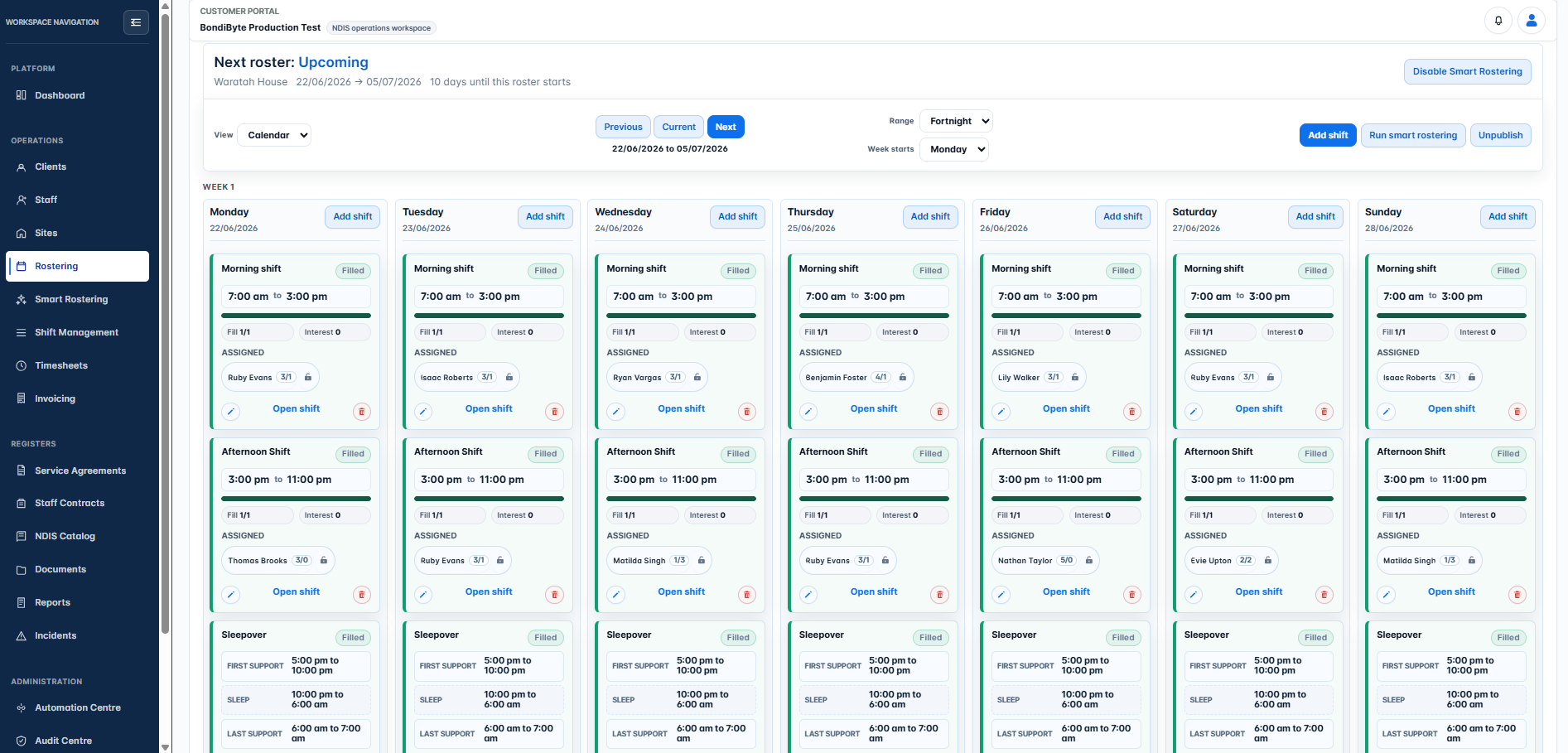
The BondiByte rostering board with a fortnight of shifts
Select shifts on the board and turn them into a reusable pattern.

You stay in control.

You set the anchor, and it holds

The period start date and length lock once automation is running, so nothing can quietly shift your payroll and billing rhythm. Turning all rostering automation off unlocks them again.

Automation starts where you say

A pattern only takes effect from the future roster period you select. Nothing is applied retrospectively.

Site-by-site rollout

Enable pattern-driven rostering for one site at a time. Sites you have not enabled keep working exactly as before.

Learn how to use this feature.

Frequently asked questions.

Do I still have to rebuild the roster each fortnight?

No. Once a pattern is active for a site, BondiByte creates each new period's shifts from it. You review and adjust rather than rebuild.

What happens to published rosters if I change the pattern?

Nothing. Published periods stay as they are. Changes apply from the next period the updated pattern covers.

Can different sites run different patterns?

Yes. Each site has its own active pattern, and you can keep reusable patterns on hand for sites with similar structures.

Can roster periods be monthly instead of fortnightly?

Yes. Periods are two weeks or one month, starting on a Sunday or Monday. Whichever you choose becomes the rostering week start for the whole organisation.

Why does the start date lock?

Every automation, timesheet and invoice cycle runs on the period calendar. Locking it once automation starts protects you from an accidental change that would reset every cycle.

See Roster patterns & periods in BondiByte

Start your free trial, or book a demo to see it with your own operation in mind.

Start free trial