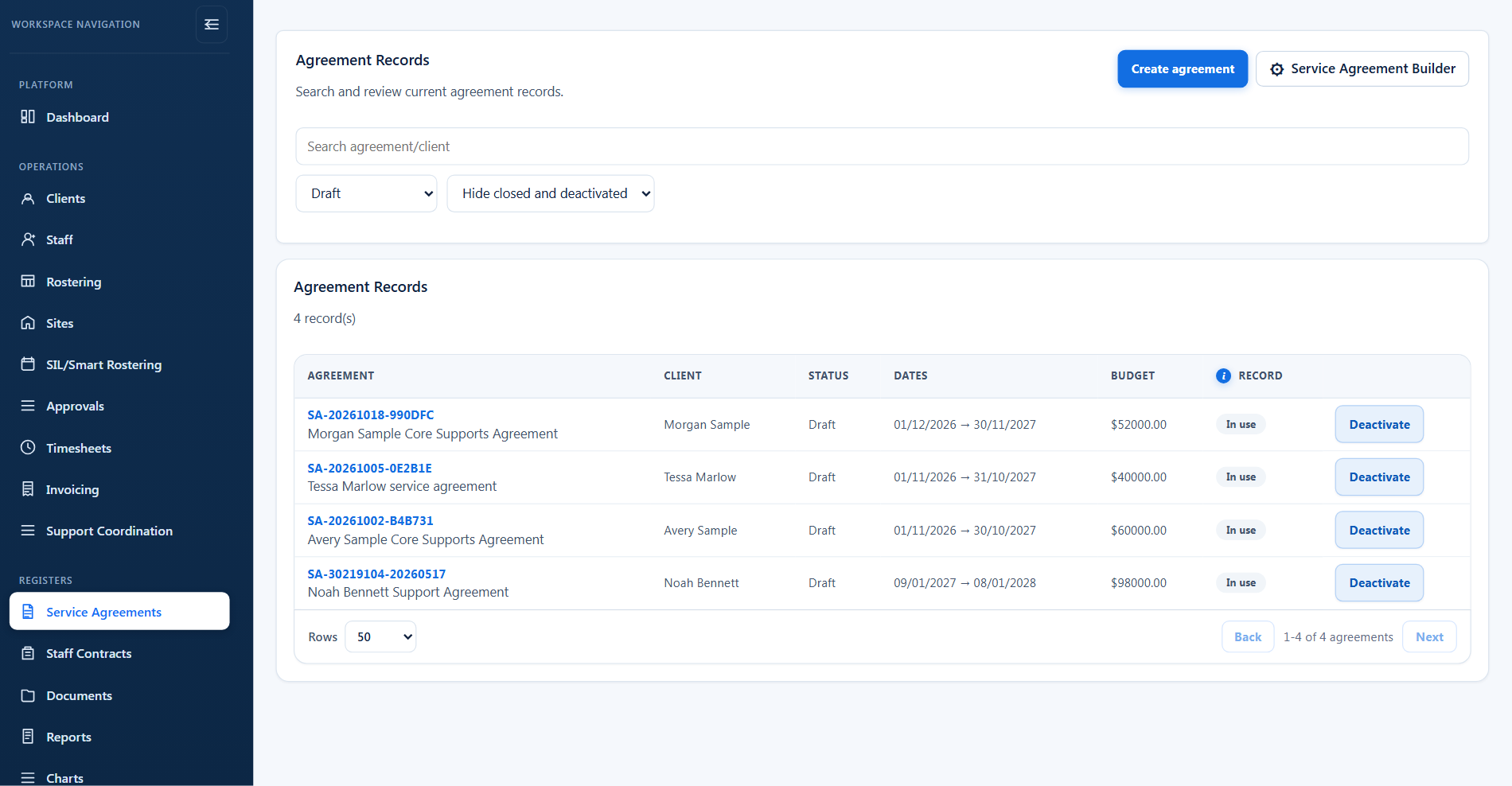
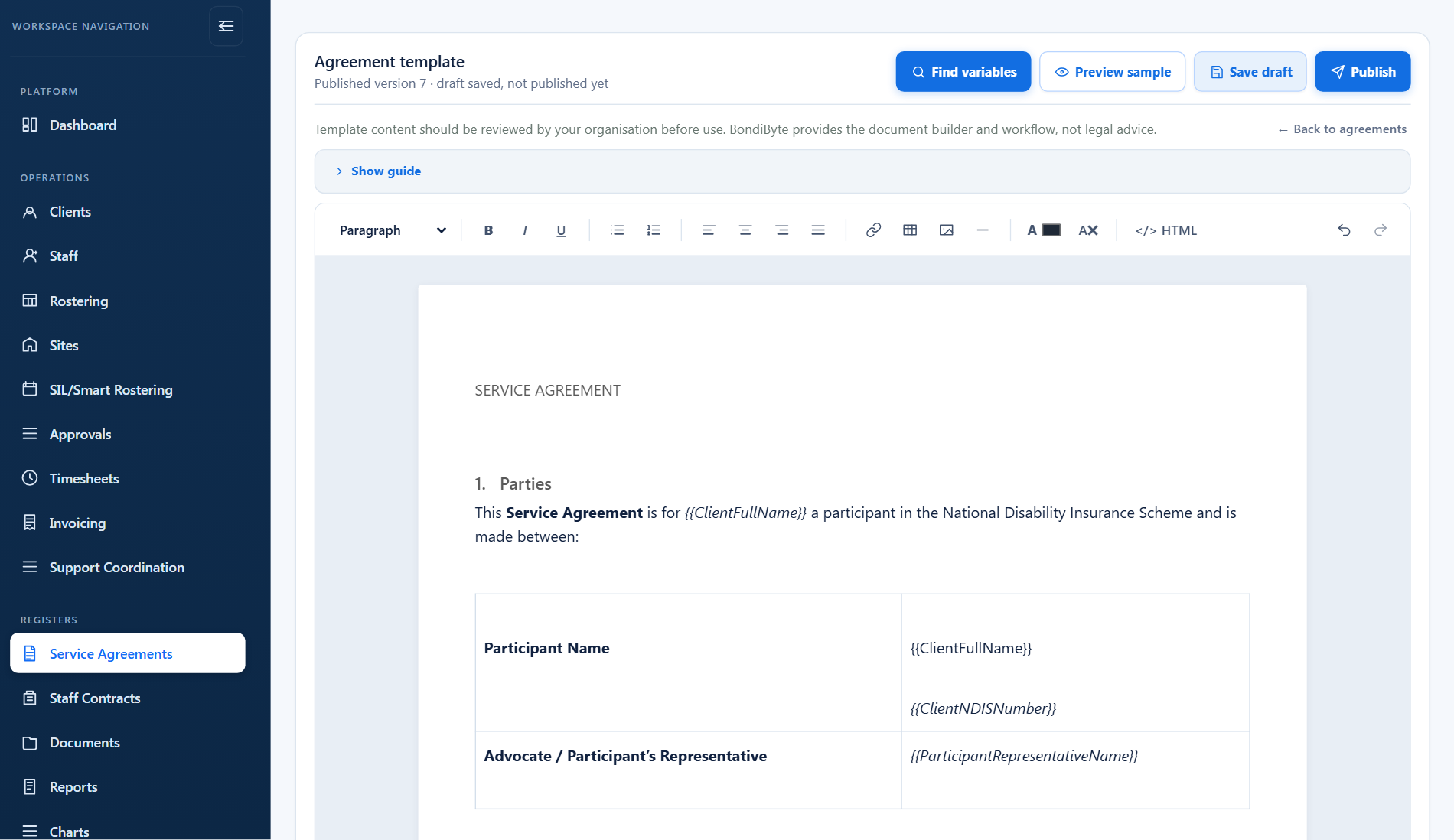
Service Agreement Builder
- Configurable rich-text template
- Reusable variables that auto-fill
- Add your organisation branding
- Export a clean PDF

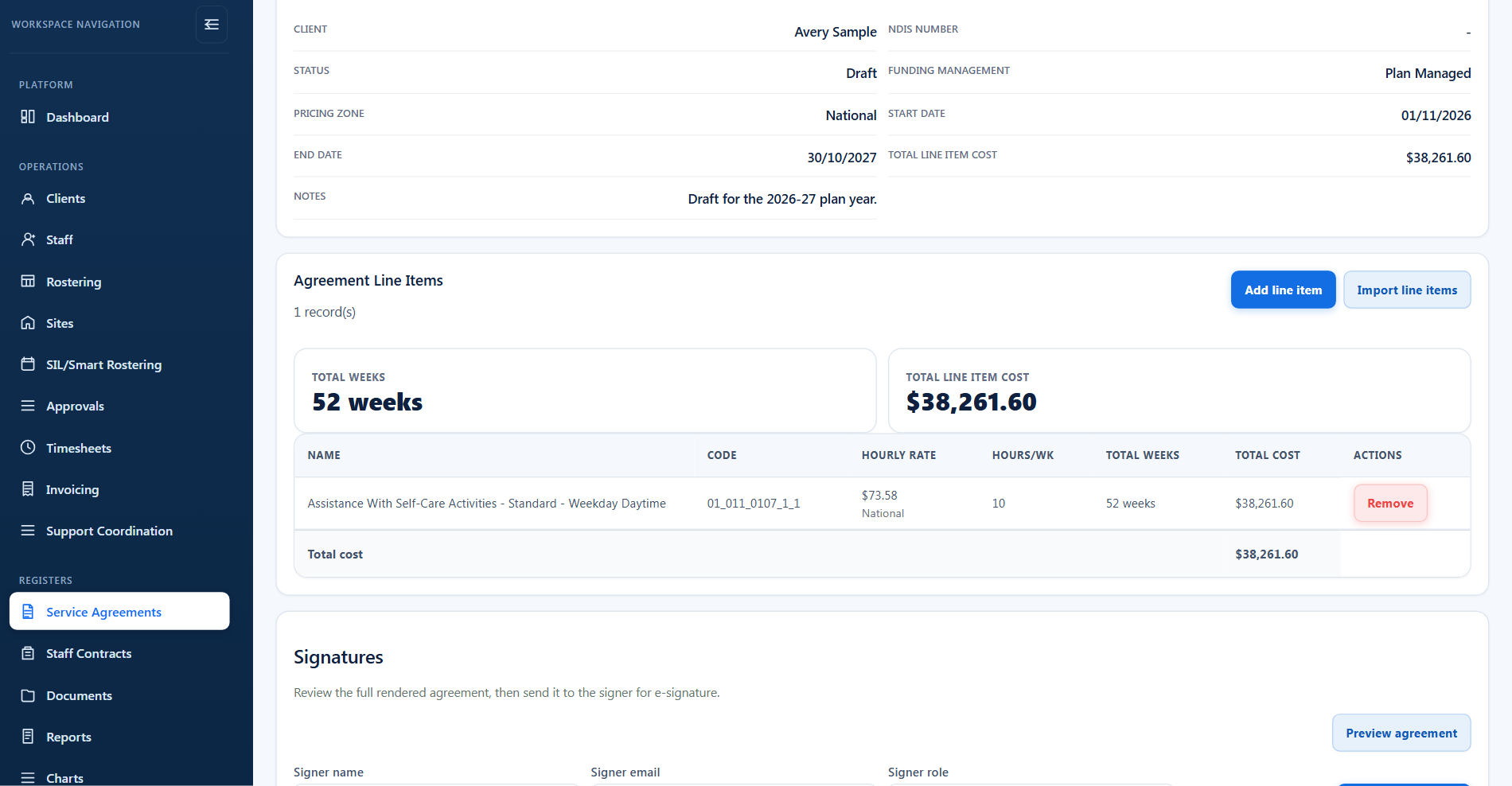
Create service agreements from the client record and your NDIS catalogue, capture signatures, and keep signed copies on file, with active-agreement guards so the current agreement is always clear.
Agreement and billing detail then flow through completed shifts and shift billing to reviewable invoice drafts, so nobody re-keys the same information.
Short demonstrations in the real product, using made-up data. Choose a part to watch it here.
Watch the full series on YouTube (opens YouTube in a new tab)
Unlike standalone agreement tools, BondiByte connects every stage of service delivery. Information flows automatically across each operational process, so the same detail is entered once and reused from onboarding through to billing.
Three parts of one flow: write the template, fill it per client, get it signed, and let the funded supports drive everything downstream.
Write your agreement once, in your words and with your logo. Every client agreement then fills itself, ready to preview, publish and send for signature.
Clients and staff sign on any device without an account, and the exact document they signed is stored, timestamped and locked.
Every funded support sits on the agreement as a line item: the NDIS code, unit price, quantity and budget, entered once. Shifts, invoices and claims all draw from those same lines.
Shifts become draft timesheets carrying pay levels and sleepover components, ready for approval and payroll.
Draft invoices from completed shifts and render PDFs, with a claim file (CSV) per participant for Support Coordination.
Yes. Paste your current agreement into the editor and BondiByte finds the wording that should become template variables. You confirm each one, swap any it got wrong, and preview the result with sample data before anything is saved. Finding variables is one of the AI-assisted features, so it is available once your organisation has turned those on; placing variables yourself always works.
Nothing. Signed agreements are captured as fixed copies at signing time. Template changes only affect agreements generated after you publish the new version.
No. They receive an email with a private link and sign in their browser on any device. There is nothing to install and no password to set up.
The signed PDF includes the drawn signature, the signer's name, the date and time and a unique document fingerprint, and the request keeps sent, viewed and signed timestamps. The signer must also tick a consent statement before signing.
Lines already on agreements keep the price that was agreed. BondiByte keeps the catalogue up to date for you, and new lines pick up the new prices. Confirming prices against the current NDIS Pricing Arrangements stays your call.
No. It is a practical starting point. Review the wording with your own team or advisers before relying on it, the same way you would any agreement.
Yes. Import a batch of line items with the BondiByte CSV template and they are matched to your NDIS catalogue. Where your organisation has screenshot-assisted capture enabled, a screenshot of an existing agreement or plan can be read into draft lines the same way. Either way, nothing saves automatically: you review the catalogue match, quantities and budgets first, and the usual agreement controls, including read-only signed agreements, still apply.
Each of these has its own page: why it exists, how it works, and the controls that stay with managers.
Write your agreement once, in your words and with your logo. Every client agreement then fills itself with their details, plan manager, dates and…
Explore Service Agreement BuilderFeatureSend agreements and contracts for E-signature straight from the record. Clients and staff sign on any device without an account, and the exact…
Explore E-signatureFeatureEvery funded support sits on the agreement as a line item: the NDIS code, unit price, quantity and budget, entered once. Shifts, invoices and claims…
Explore Line items & budgetsStart your free trial, or book a demo to see how BondiByte connects service agreements, the NDIS catalogue, and invoice drafts.
Hi, I can help with BondiByte features, pricing, setup and more.
Please don’t include sensitive participant or personal information.